
Aggregation is a key function in data collection, especially when data from multiple entities (e.g., sites, subsidiaries, or departments) needs to be gathered and combined into a consolidated response at the group level. This article explains in detail how aggregation works, the roles and steps involved, and how to correctly finalize qualitative and quantitative data points.
What is aggregation, and when is it worthwhile?
Aggregation involves sending a data point to multiple organizational entities so they can manage it for their own purposes. The inputs are then combined into a final response. Depending on the data point type, this can be done:
- automatically (e.g., for totals, averages),
- with AI support (text summaries),
- or manually (e.g., for multiple-choice or qualitative text fields).
Aggregation is set up in step 2 of the reporting process. Further details on the general data collection setup can be found in this article.
Whether aggregation is useful depends on whether data is to be queried in a structured manner from different entities. Different data points can be assigned to different groups – for example, environmental data can be sent only to production sites, while social data is sent to all entities. Further information on using consolidation groups can be found here.
Aggregation and Organizational Structure
Aggregation is based on the organizational structure stored in the system. Only entities assigned to an aggregated data point receive the respective request. An Entity Manager must be defined for each unit.
- This is the responsible contact person for the entity,
- receives the aggregated request via email,
- can enter data or forward it to another Data Provider.
Defining the Entity Manager within the Organizational Structure: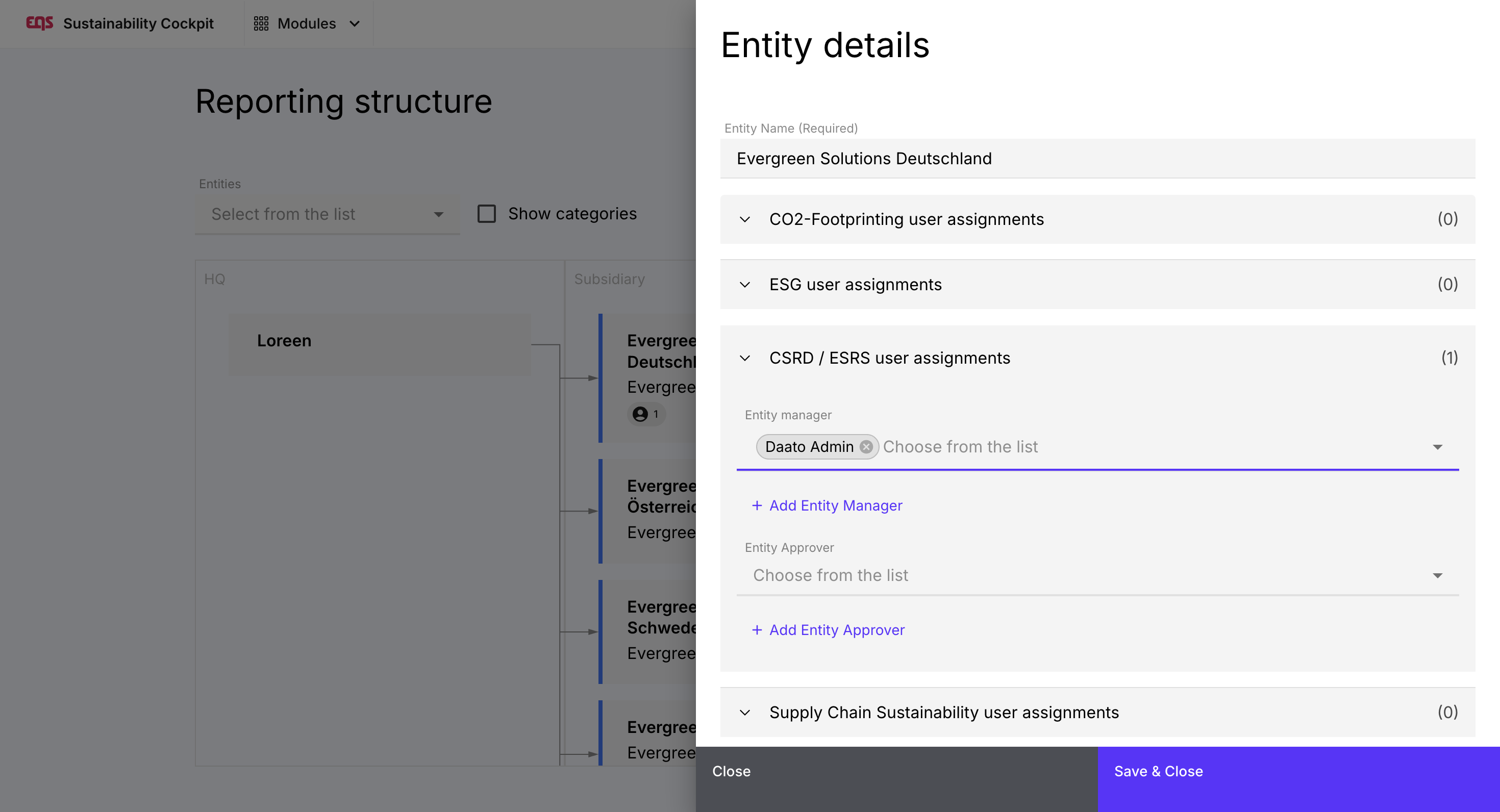
Setting up an Aggregation in step 2:
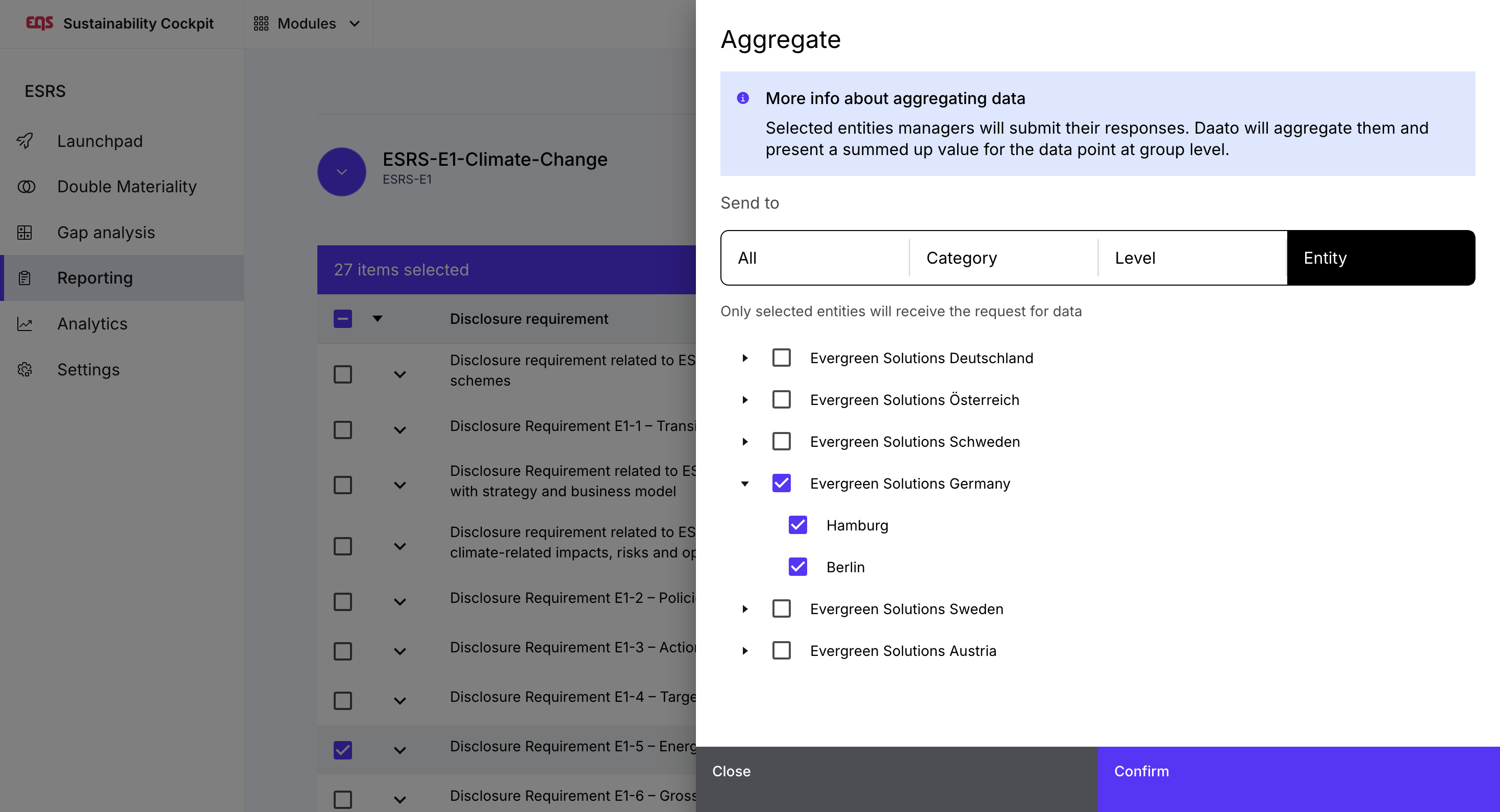
Procedure for Entity Managers
Once data collection is fully set up, step 2 is completed, and data collection has started in step 3, Entity Managers automatically receive their requests. They each have restricted access to the part of the report that pertains to their entity.
Entity managers see:
- an overview of the data points to be completed, sorted by disclosure requirements
- the data point to be completed
- all information provided by the module manager/admin (attachments, definitions, notes)
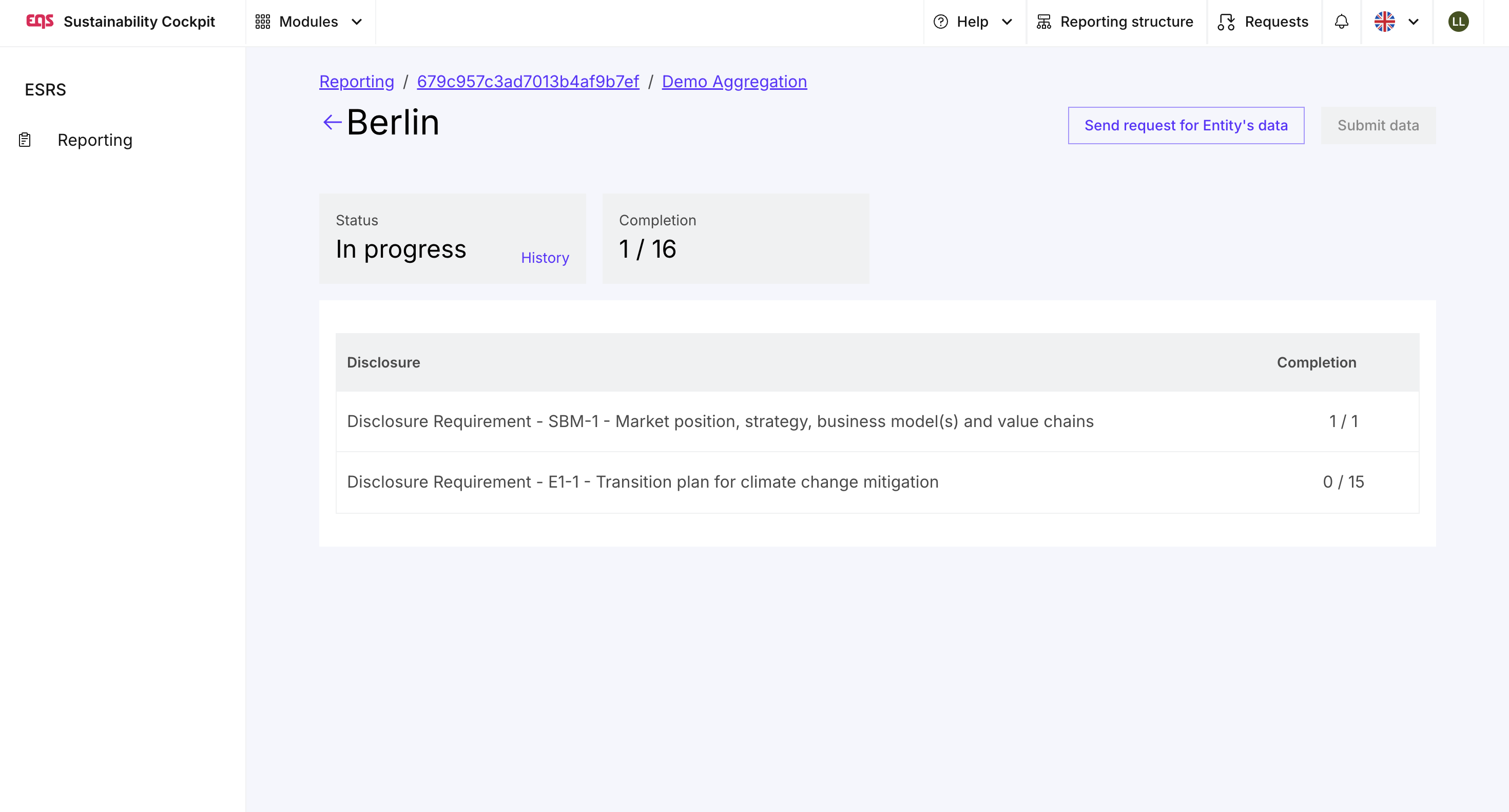
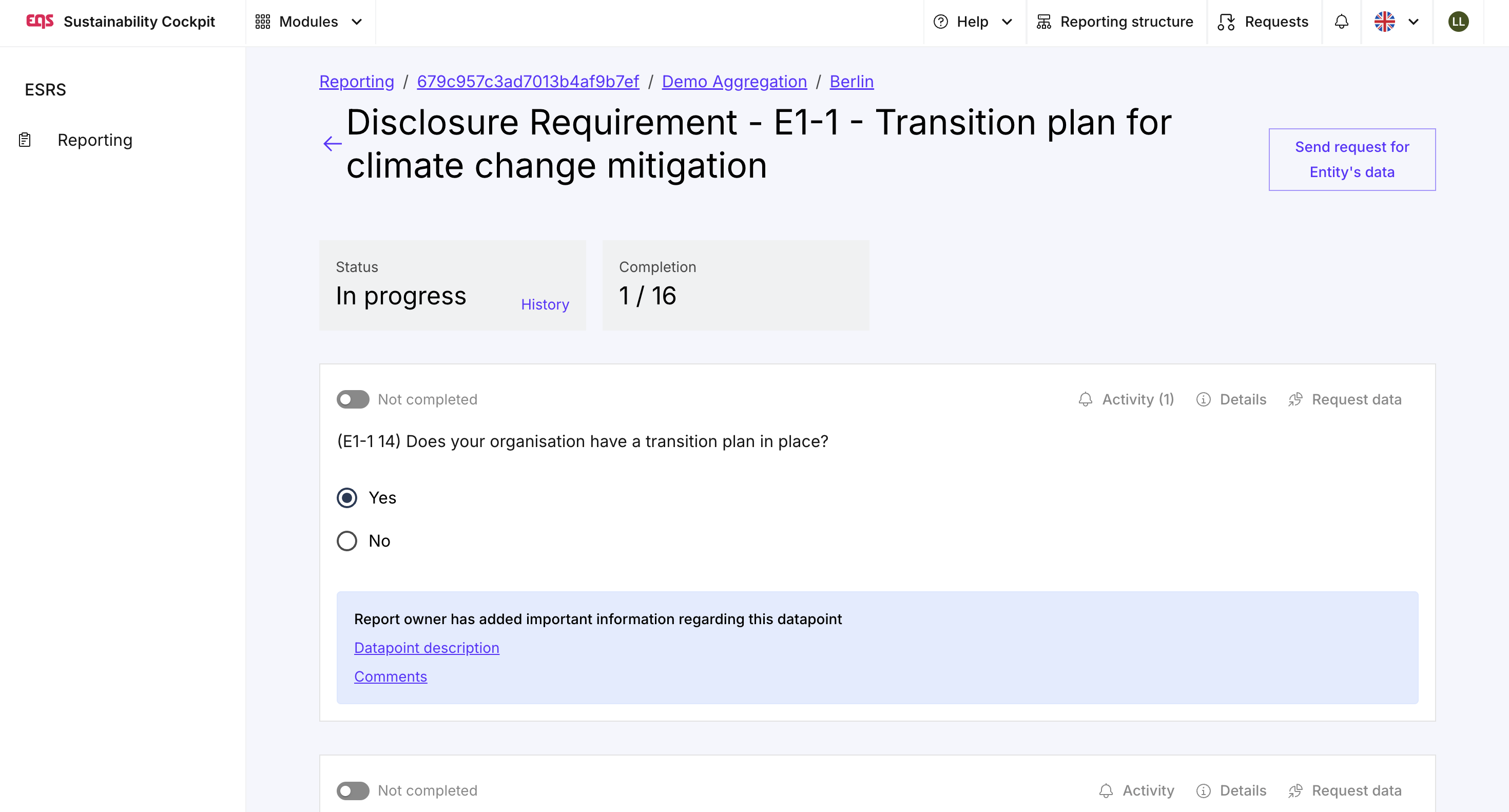
Entity managers can respond to all assigned data points or delegate them to colleagues.
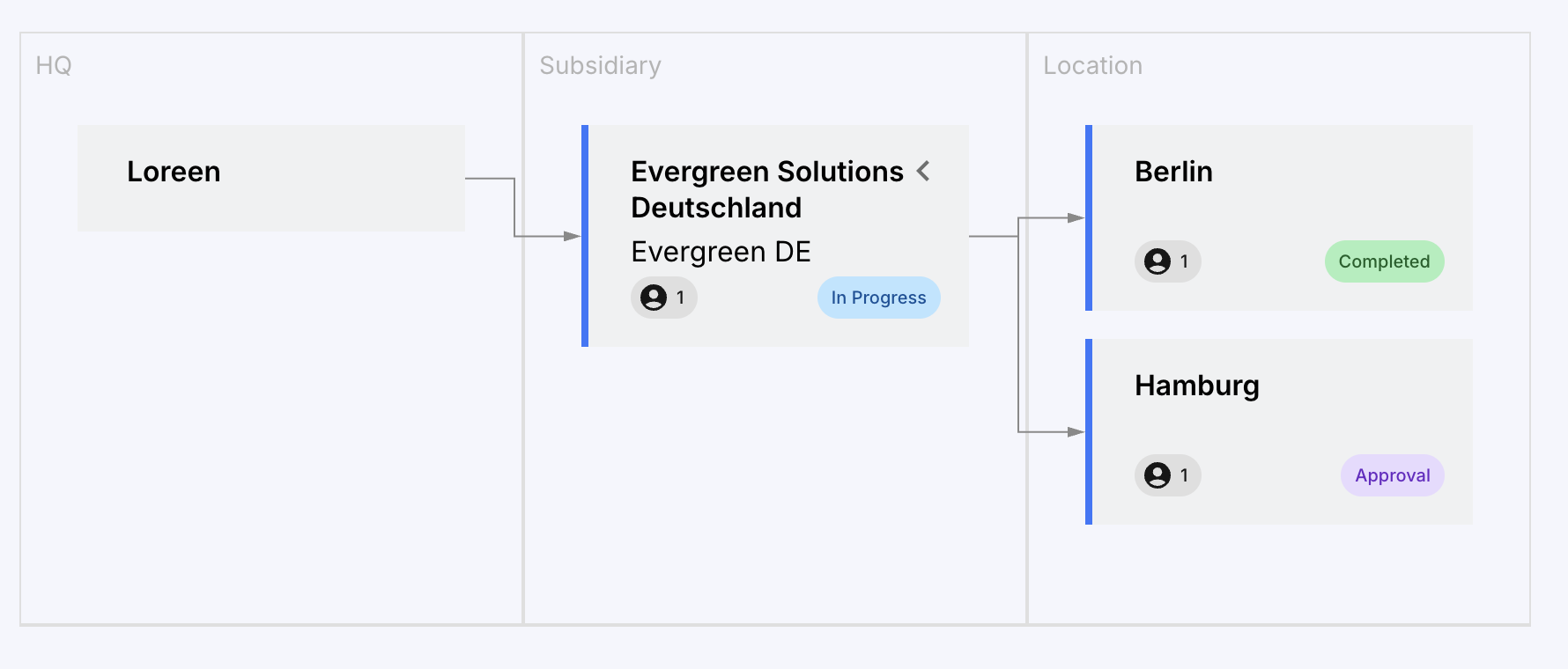
If an entity has sub-entities (e.g., "Evergreen Solutions Germany" with locations in "Berlin" and "Hamburg"), the higher-level Entity Manager can see the progress of its sub-entities. They can view their data, but can only edit it if they are also listed as the Entity Manager for that sub-entity.
Important: Only Entity Managers can enter data for their respective entity in the aggregation. This also applies to Admins.
To enter additional data for the entire entity (e.g., Evergreen Solutions Germany), use the "Own Data Collection" section.
A data point is considered complete once it has been filled in and marked as "Completed." From this point on, the entities response is visible to Module Managers and Admins. However, the entire request cannot be submitted until all data points within the aggregation request are complete. If entity approval is required (by an ESRS Approver within the entity), the status will then change to "Approval"; otherwise, it will change to "Completed."
Role of HQ / Module Manager / Admin
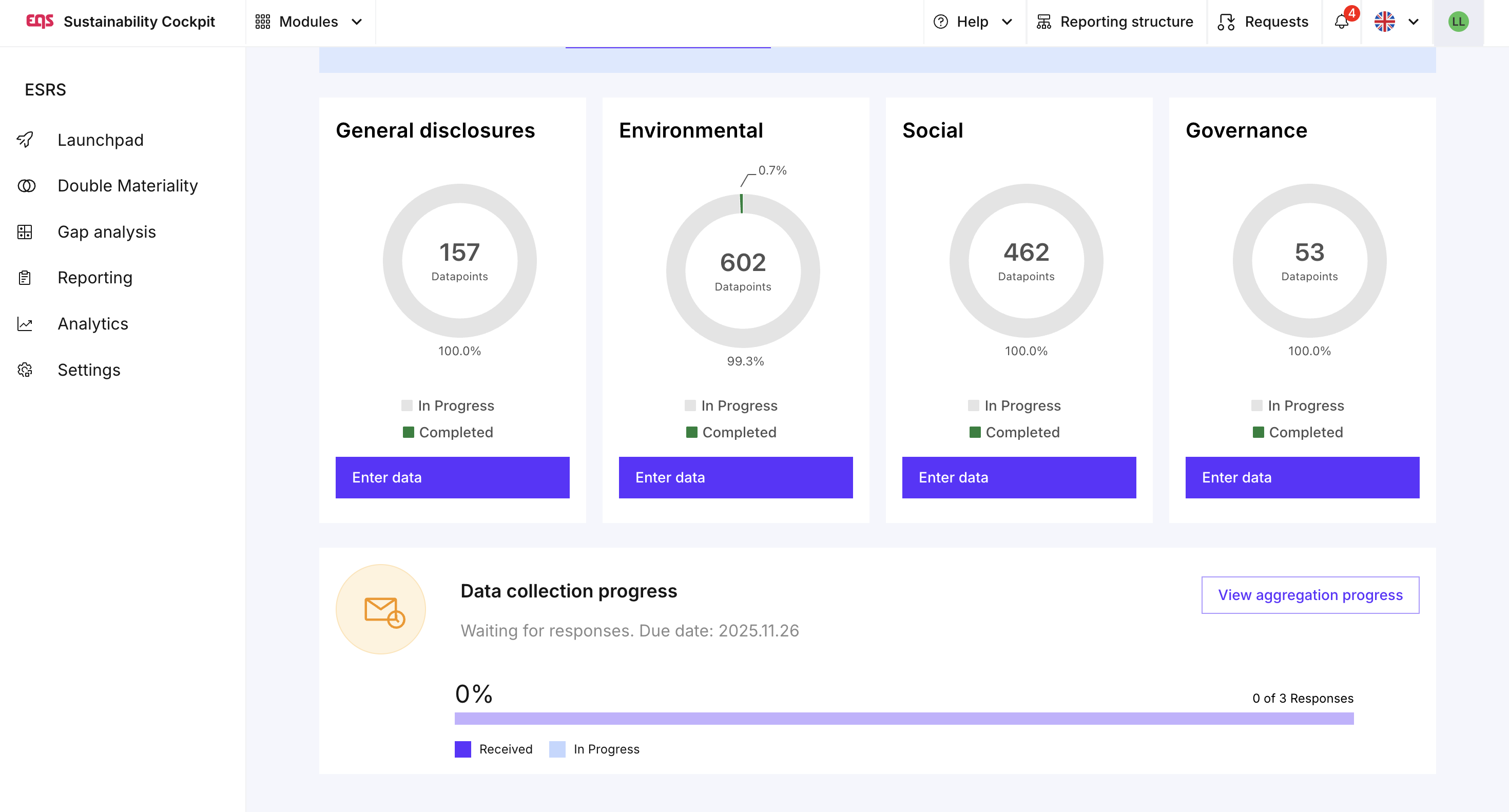
Once entity responses have been received, the person responsible for the report or disclosure requirement at the group level can review them and monitor progress via "View aggregation progress." The progress bar shows how many entities have fully completed their requests. An entity is only considered complete when all assigned data points have been finalized and the data has been submitted.
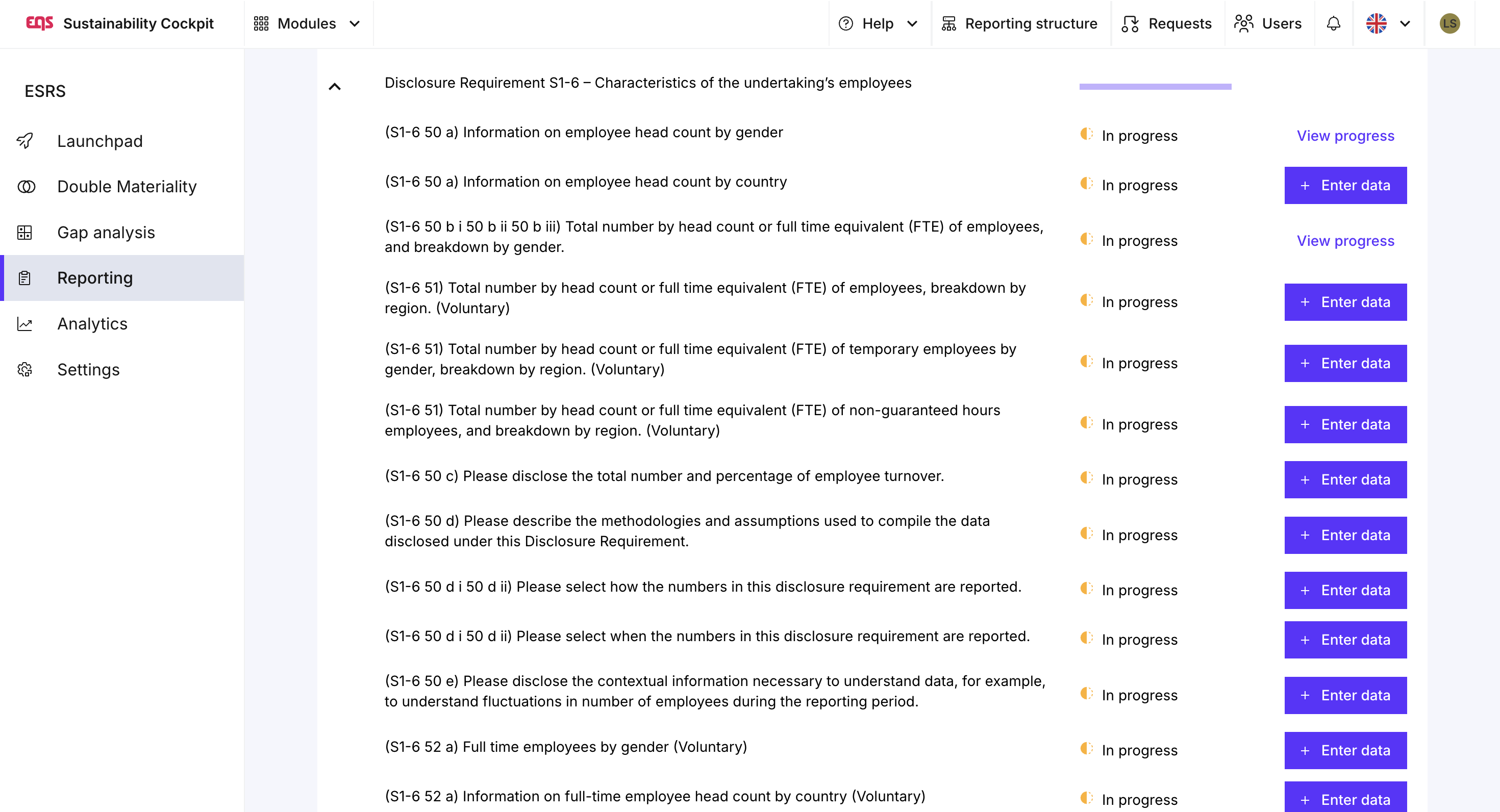
The Module Manager or report owner should then review and consolidate the entity responses. The overview directly within the respective data point under "View progress" is suitable for this purpose.
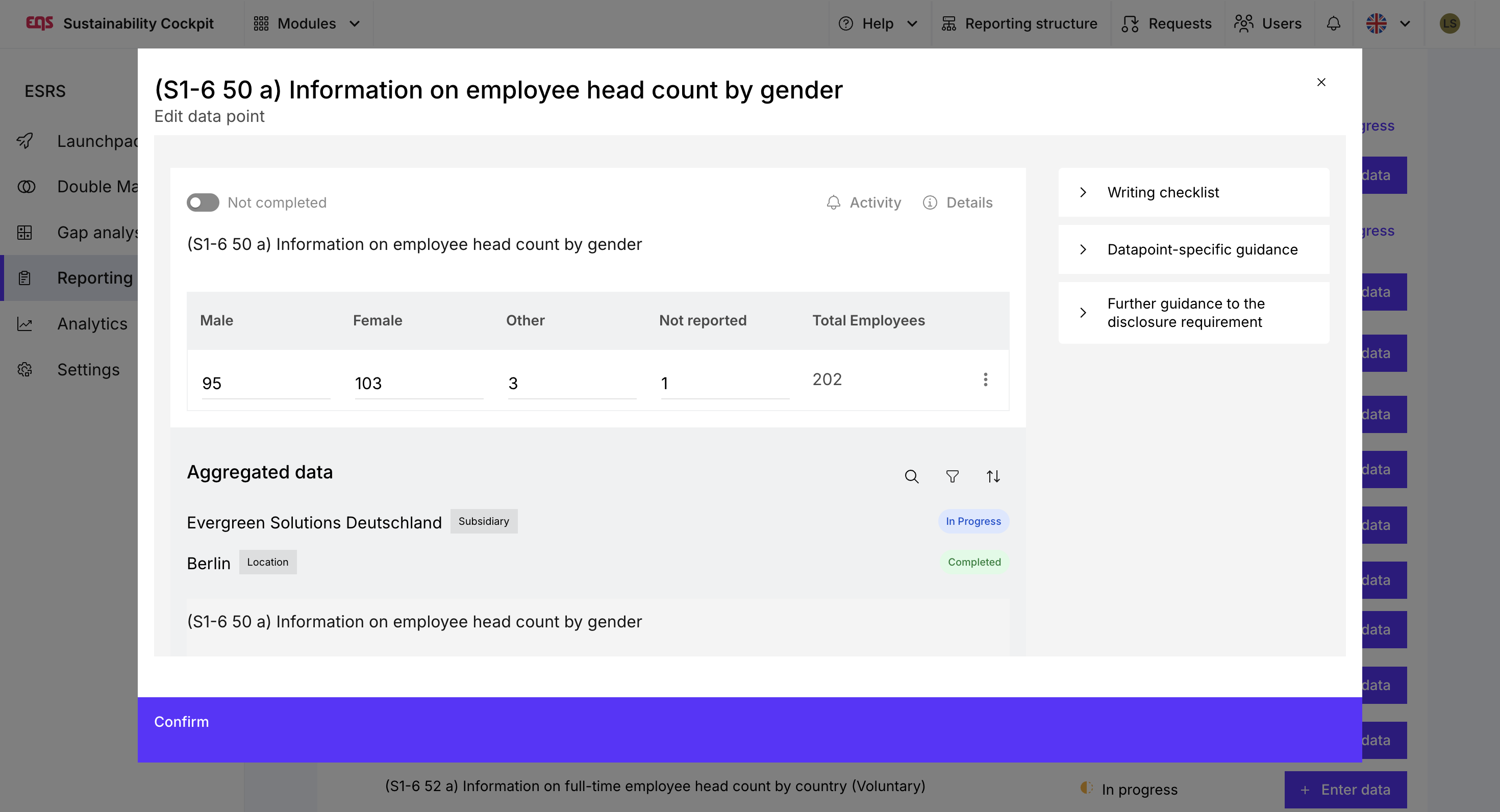
The data point shows:
- the final response field at the group level,
- below it, all aggregated responses from the individual entities.
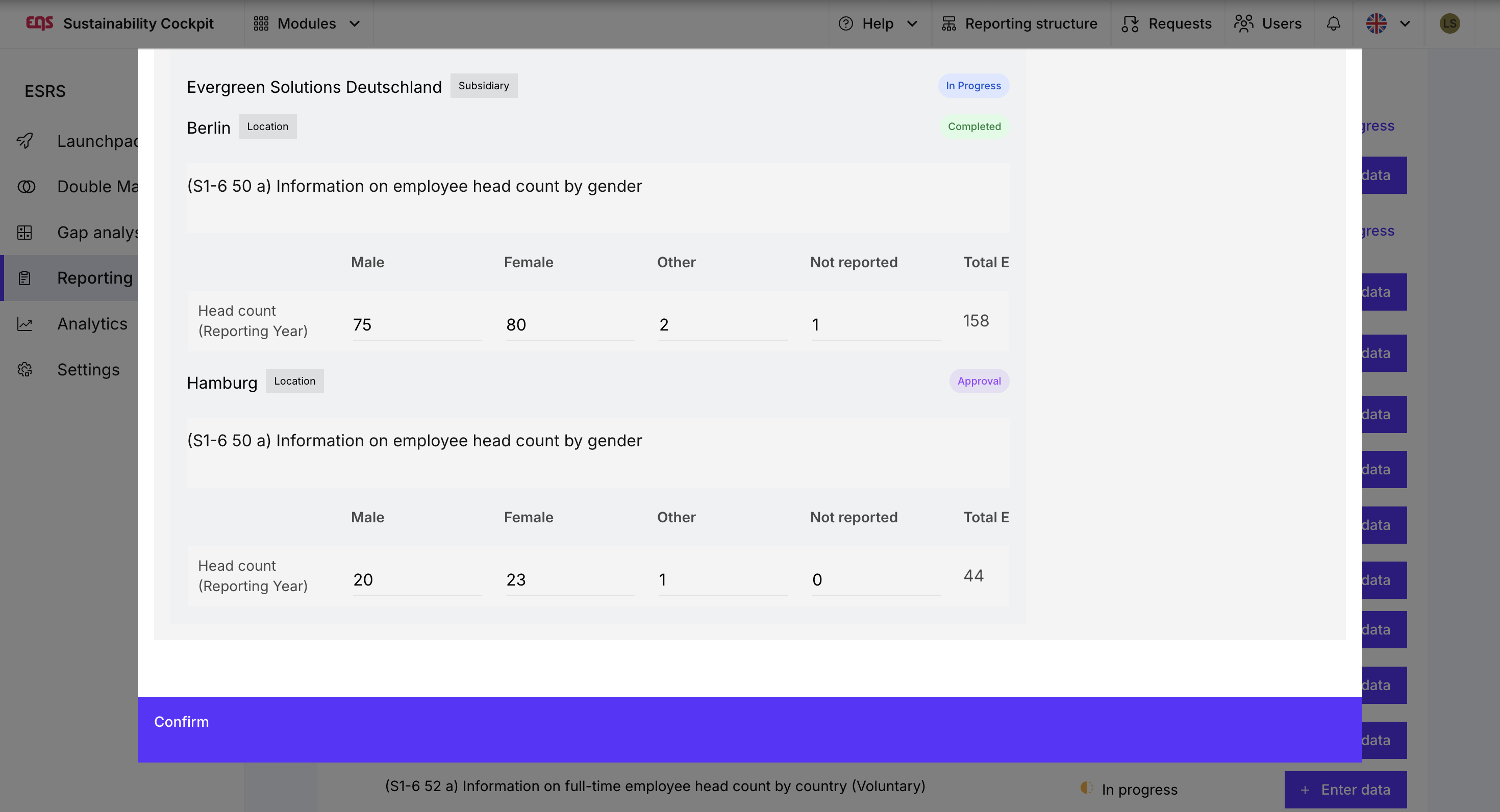
Quantitative Data Points
Quantitative inputs (e.g., sums or percentages) are automatically combined into a final answer. The responsible person only needs to check the plausibility and close the data point.
Note: Some quantitative data points include additional automatic calculations or weighted aggregations – details can be found here.
Qualitative Data Points
For qualitative data points, a consolidated answer must be created from the individual responses. The final answer field is initially empty.
There are three ways to combine the responses:
- "Copy all inputs" – all individual responses, including their names, are copied into the final field.
- Manual summary – useful when a separate, summary answer is to be formulated.
- Manual selection – selection fields and checkboxes must always be selected manually.
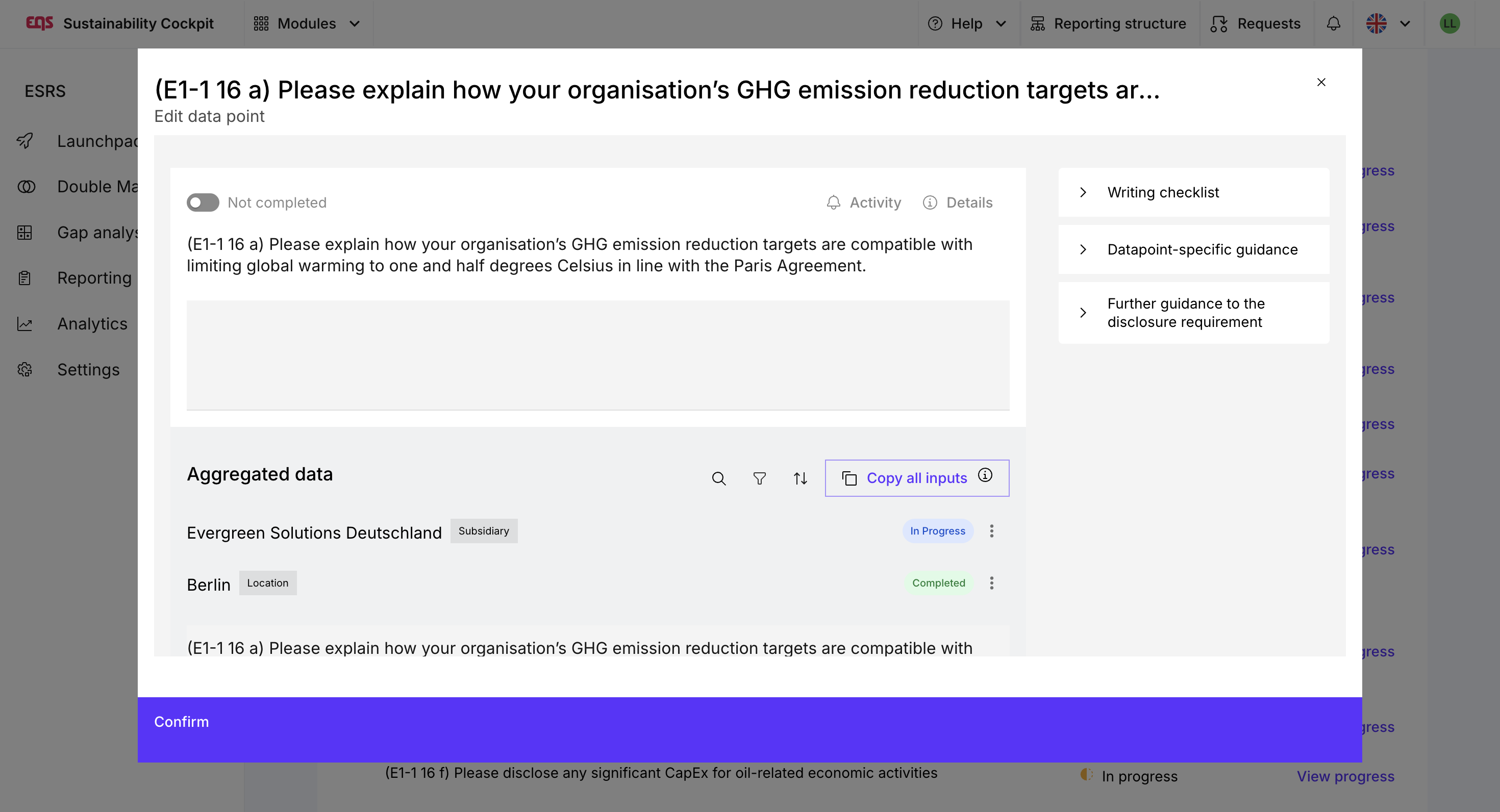
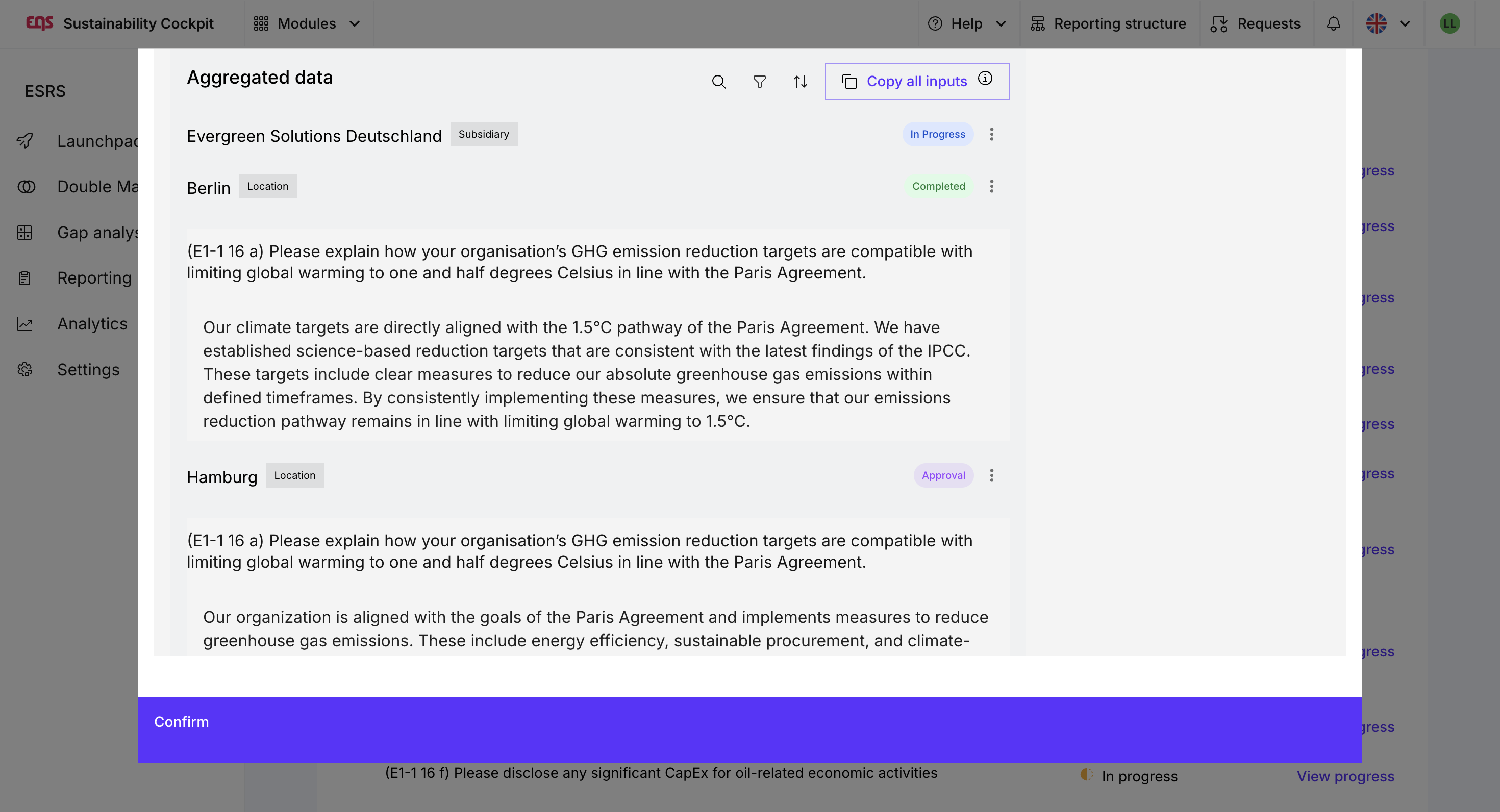
Important: Without a final answer, the data point is considered incomplete. Aggregation only collects the inputs – the final decision on how a data point is answered always rests with the report owner.
Inclusion in Step 4 – Reporting paragraph
In the reporting section of the disclosure requirement in Step 4:
- Only the final group response is displayed,
- Entity responses are no longer visible,
- The AI function uses only the finalized response at the group level.
This ensures that the report outputs a clear, authorized, and consolidated response.
Best Practices for Successful Aggregation
- Provide clear definitions so that all entities understand what data is being requested.
- Select appropriate consolidation groups to collect data in a targeted manner.
- Assess the relevance: Consider not aggregating qualitative data points, but rather processing them directly at the group level or via collaboration.
- Don't forget finalization: Aggregation gathers data; report owners make the final decisions.

Is aggregation like a collaboration request?
There are similarities, but also important differences.
Similarities:
- A responsible person ultimately decides on the final response.
Differences:
- Aggregation occurs along the organizational structure.
- The request is more scalable and systematic.
- Quantitative data is automatically consolidated.
- Collaboration is a manual, individually addressed request.
Was this article helpful?
That’s Great!
Thank you for your feedback
Sorry! We couldn't be helpful
Thank you for your feedback
Feedback sent
We appreciate your effort and will try to fix the article