
-
How to get started
- General set-up
- DMA & ESRS
- EU-Taxonomy
- CO2-Footprinting
- Supply Chain Sustainability
- VSME
-
ESRS
- ESRS - Overview
-
DMA Double Materiality
- The Double Materiality Proc...
- Double Materiality Assessme...
- Start or import your Double...
- Copying a Double Materialit...
- Transferring Data from an E...
- Add and manage stakeholders
- How to involve stakeholders...
- Which stakeholders to invol...
- Select your relevant sustai...
- Add the impacts, risks and ...
- Upload IROs into the DM pro...
- Assess each impact, risk an...
- Step-by-Step: How to Create...
- Understand your Double Mate...
- Set common definitions for ...
- Consolidation / Determinati...
- Change materiality levels o...
- Assessment Scales: Configur...
-
DMA Double Materiality - IR...
- Agriculture and Farming
- Forestry
- Construction and Engineering
- Energy Production & Uti...
- Water & Waste Services
- Casinos & Gaming
- Leisure Facilities
- Capital Markets
- Banking
- Insurance
- Health Care
- Food & Beverage Services
- Hotels & Lodging
- Aerospace & Defence
- Automobiles & Other Tra...
- Biotechnology & Pharmac...
- Building Products & Fur...
- Chemicals & Biofuels
- Construction Materials
- Electronics
- Food & Beverages
- Machinery & Equipment
- Medical Equipment & Ser...
- Metal Processing
- Oil & Gas - Midstream &...
- Pulp, Paper & Wood prod...
- Textiles, Apparels, Footwea...
- Tobacco
- Toys, Sporting Goods & ...
- Coal Operations
- Gap Analysis
-
ESRS Data Collection & ...
- Create a new ESRS report
- Include Your Double Materia...
- Copy data from an existing ...
- Copy data from an existing ...
- Importing CO2 Data into an ...
- ESRS report, step 1: determ...
- ESRS report, step 1 (1): om...
- ESRS report, step 2: prepar...
- ESRS report, step 2 (1): Da...
- ESRS report, step 2 (2): Di...
- ESRS report, step 3: collec...
- ESRS report, step 3 (1): Un...
- ESRS report, step 3 (1): Un...
- ESRS report, step 4: writin...
- Mapping of Sustainability T...
- Download datapoints
- Consolidating ESRS Reports
- Audits: Review and Compare ...
- Analysis & Dashboard
- Guide to Handling Requests ...
-
EU Taxonomy
- Data collection
- Eligibility assessment
- Minimum safeguards
- Alignment assessment
- Adding financial data for E...
- Accounting standards
- Analytics & Reporting
-
CO2 Footprint
- CO2 - Overview
- Data Collection
- Activities
-
Scopes
- Scope 1 - Emissions from so...
- Scope 2 - Emissions that re...
- (2) Scope 2-Emissions: Mark...
- Scope 3.1 - Emissions assoc...
- Scope 3.2 - Emissions assoc...
- Scope 3.3 - Emissions resul...
- Scope 3.4 - Emissions assoc...
- Scope 3.5 - Emissions assoc...
- Scope 3.6 - Business Travel
- Scope 3.7 - Employee commuting
- Scope 3.8 - Emissions resul...
- Scope 3.9 - Emissions gener...
- Scope 3.10 - Emissions gene...
- Scope 3.11 - Emissions gene...
- Scope 3.12 - Emissions gene...
- Scope 3.13 - missions resul...
- Scope 3.14 - Franchises
- Scope 3.15 - Investments
- How to assign scopes (in th...
- Scope 3.4 and Scope 3.9: Ca...
- Scope 3 Reporting: Process,...
- Emission factors
- Old flow
-
Supply chain risk
- Module settings
- Supplier management
- Risk assessment
- Grievance mechanism
- Incidents
- Reporting
- Information for suppliers
- Guide to Handling Requests ...
-
VSME
-
VSME Data Collection & ...
- VSME Module – Roles & P...
- Create a new VSME report
- Importing CO2 Data into a V...
- VSME - Basic Module
- VSME - Comprehensive Module
- VSME report, step 1: Determ...
- VSME report, step 2: Prepar...
- VSME report, step 2 (1): Da...
- VSME report, step 2 (2): Di...
- VSME report, step 2 (3): Us...
- VSME report, step 2 (4): Co...
- VSME report, step 3: collec...
- VSME report, step 4: writin...
- Reusing ESRS Data for Your ...
- Sustainability Profile
-
VSME Data Collection & ...
-
General settings and config...
- Account Settings
- Log-in process
- General User Management
- Data requests, review and v...
- Reporting Structure
-
Product & Regulatory up...
-
Software Updates
- EQS Software updates: 4. Se...
- EQS Software Updates: 12. J...
- EQS Software Updates: 13. M...
- EQS Software Updates: 21. A...
- Simplified ESRS Draft in th...
- EQS Software Updates: 25. M...
- EQS Software Updates: 12. M...
- EQS Software Updates 6. Mar...
- EQS-Software Updates: 24. F...
- EQS-Software Updates: 8. Ja...
- Introducing ESRS Consolidat...
- EQS-Software Updates: 10. N...
- EQS-Software Updates: 24. O...
- EQS-Software Updates: 22. S...
- Updates to the VSME Module:...
- CO₂ Workflow Update
-
Regulatory Updates
- EQS Regulatory Update: 19. ...
- EQS Regulatory Updates: 17....
- EQS Regulatory Updates: 25....
- EQS-Regulatory Updates 13. ...
- EQS-Regulatory Updates 15. ...
- EQS Regulatory Updates 24. ...
- EQS Regulatory Updates 10. ...
- EQS Regulatory Updates 13. ...
- EQS-Regulatory Updates 23. ...
- EQS-Regulatory Updates 28. ...
- EQS-Regulatory Updates 8. J...
- Sustainability Knowledge
-
Software Updates
-
Reduction Planner
- Reduction Planner
EQS Software Updates: 12. March 2026
Modified on Fri, 13 Mar at 12:53 PM
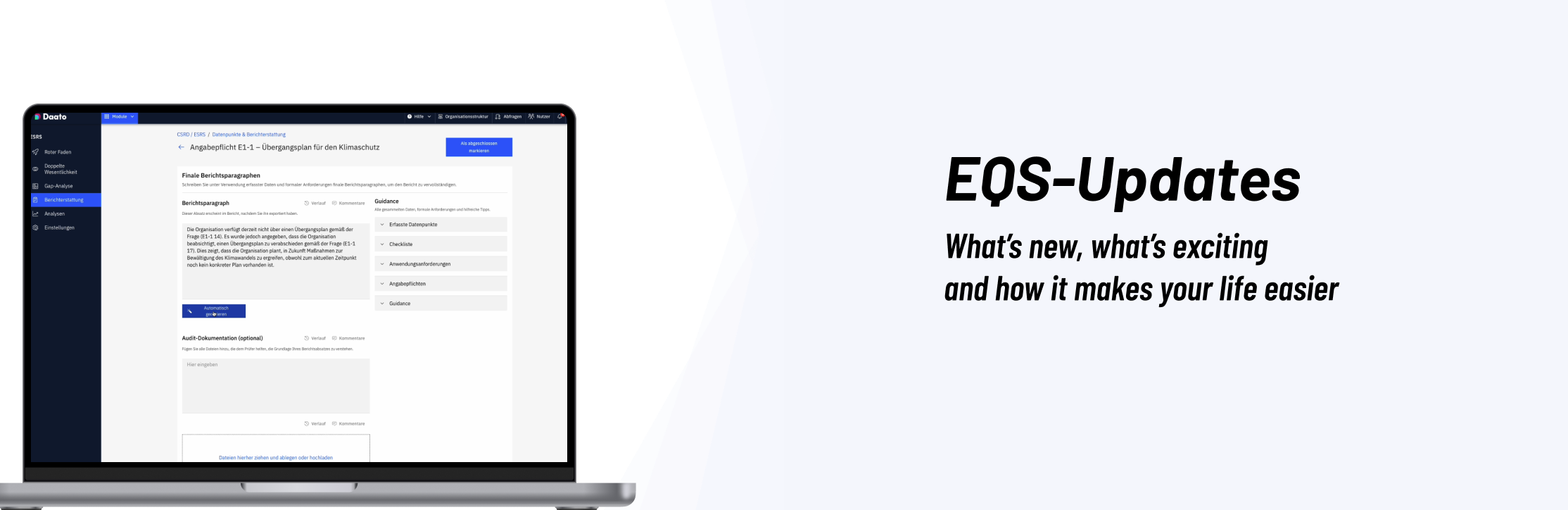



Comments attached to ESRS data points are now visible directly in Step 4 of the ESRS report. This lets report owners and contributors review context, clarifications, and internal discussions alongside the actual data, without needing to switch screens or hunt for notes elsewhere.

Each ESRS data point in the report now displays its collaboration and aggregation status. You can immediately see whether a value is pending input from others, already aggregated, or finalized, making it easier to track progress and understand where additional work is needed.

Entity-level ESRS reports now include a dedicated Requests tab. This tab centralizes all data requests related to the report, so you can quickly see which stakeholders are involved, what’s outstanding, and what has been completed—streamlining collaboration across the reporting workflow.

When creating new ESRS data requests, the system now provides default request titles. These standardized titles improve clarity and make it easier for recipients to understand what is being requested, while also helping admins and report owners keep an organized overview of many parallel requests.

You can now copy existing ESRS reports. This allows you to reuse structures and setups—for example, from a previous reporting year or a similar entity—without having to rebuild reports from scratch. The copy flow ensures relevant configuration and content are carried over while leaving room for updates.

In some cases, timeframes imported for IROs in the DMA were not correctly reflected in the final ESRS DMA XLSX download, leading to inconsistencies between the configured timeframes and the export. The export now reliably includes the correct IRO timeframes, ensuring that your downloaded DMA report accurately mirrors what you see in the application.


The Scope 2 emission factor table in the CO₂ module was sometimes visually trimmed, cutting off part of the content and making it difficult to read all values. The table layout has been fixed so all emission factor entries are fully visible, improving readability and reducing the risk of misinterpreting emission data.


In the EU Taxonomy (EUT) module, users were unable to copy Minimum Safeguards answers from one activity to another, even when the flow should allow it. This has been fixed so you can again reuse existing answers for Minimum Safeguards between activities, saving time and ensuring consistent responses.

For certain EU Taxonomy configurations, answering a Minimum Safeguards question could incorrectly trigger justifications for missed questions. The logic has been corrected so justifications are now only requested where intended by the configuration, reducing noise and keeping reviewers focused on the truly incomplete or exceptional cases.


In SCS, entity managers were unable to add suppliers to the entity they manage, even when they should have the required permissions. The permission handling has been corrected so entity managers can now properly add suppliers to their own entity, supporting smoother onboarding and maintenance of supplier records.

The supplier search input in SCS could glitch or behave unreliably when working with large supplier datasets (for example, freezing or not updating results correctly). The search behavior has been stabilized so you can now filter and search through large supplier lists without interface glitches.
Was this article helpful?
That’s Great!
Thank you for your feedback
Sorry! We couldn't be helpful
Thank you for your feedback
Feedback sent
We appreciate your effort and will try to fix the article