
Target setting is the central starting point of your reduction plan. It defines how much and by when you aim to reduce your emissions — and establishes the foundation for a structured and manageable decarbonization strategy.
Within the Reduction Planner, a high-level climate goal is translated into a concrete, calculable reduction pathway, which can later be backed by measures and evaluated over time.
Why is target setting important?
A well-defined reduction target serves several key purposes:
- Strategic direction: Defines your company’s level of ambition (e.g. Net Zero or 1.5°C alignment)
- Measurability: Enables systematic tracking and evaluation of progress
- Steering: Helps prioritize investments and reduction measures
- Compliance & reporting: Supports frameworks such as SBTi, CSRD, or EcoVadis
Without a clearly defined target, climate management often remains a collection of isolated actions.
With a target, you create a clear decision-making framework for your transformation.
More about Reduction planning and SBTi here.
How target setting works in the Reduction Planner
In the Reduction Planner, target setting follows a structured process.
You don’t just define a target value — you also define system boundaries, assumptions, and calculation logic.
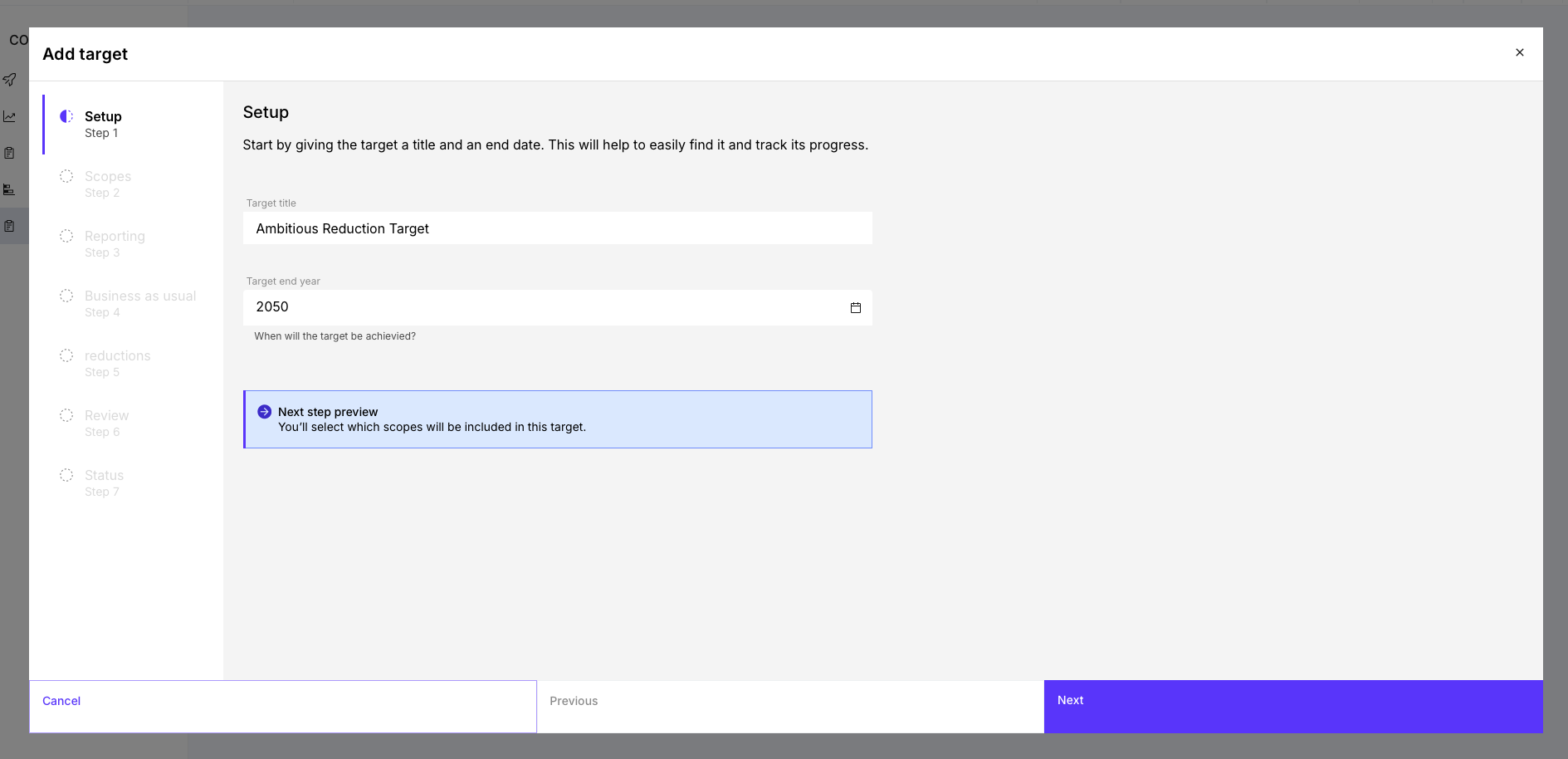
1. Create a target (Setup)
In the first step, you define the basic parameters of your target:
- Target title (e.g. “Net Zero 2040” or “SBTi Target 2030”)
- Target year (when the target should be achieved)
The target year determines the length of your reduction pathway and directly impacts the required annual reduction rate. The shorter the timeframe, the steeper the reduction pathway — and the higher the required effort and investment.
2. Define emission boundaries (Scopes)
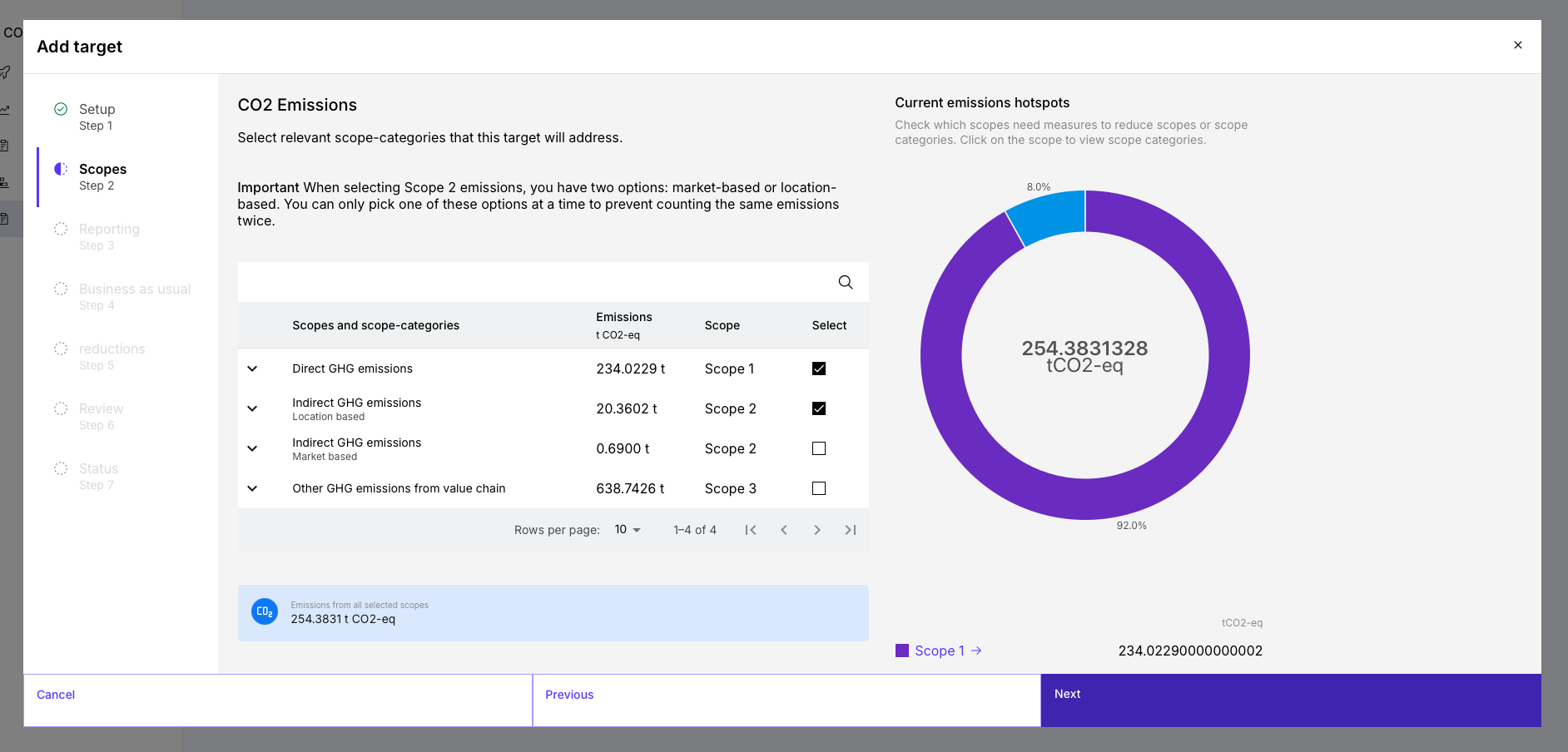
Next, you define which emissions are covered by your target:
- Scope 1 (direct emissions)
- Scope 2(indirect emissions from energy) either market-based or location-based
- Scope 3 (value chain emissions)
Important:
For Scope 2, only one method can be selected at a time to avoid double counting. This step defines the system boundary of your target.
Most frameworks (e.g. SBTi) require companies to include all relevant emission sources — especially Scope 3 if it represents a significant share.
3. Assign organizational entities (Reporting)
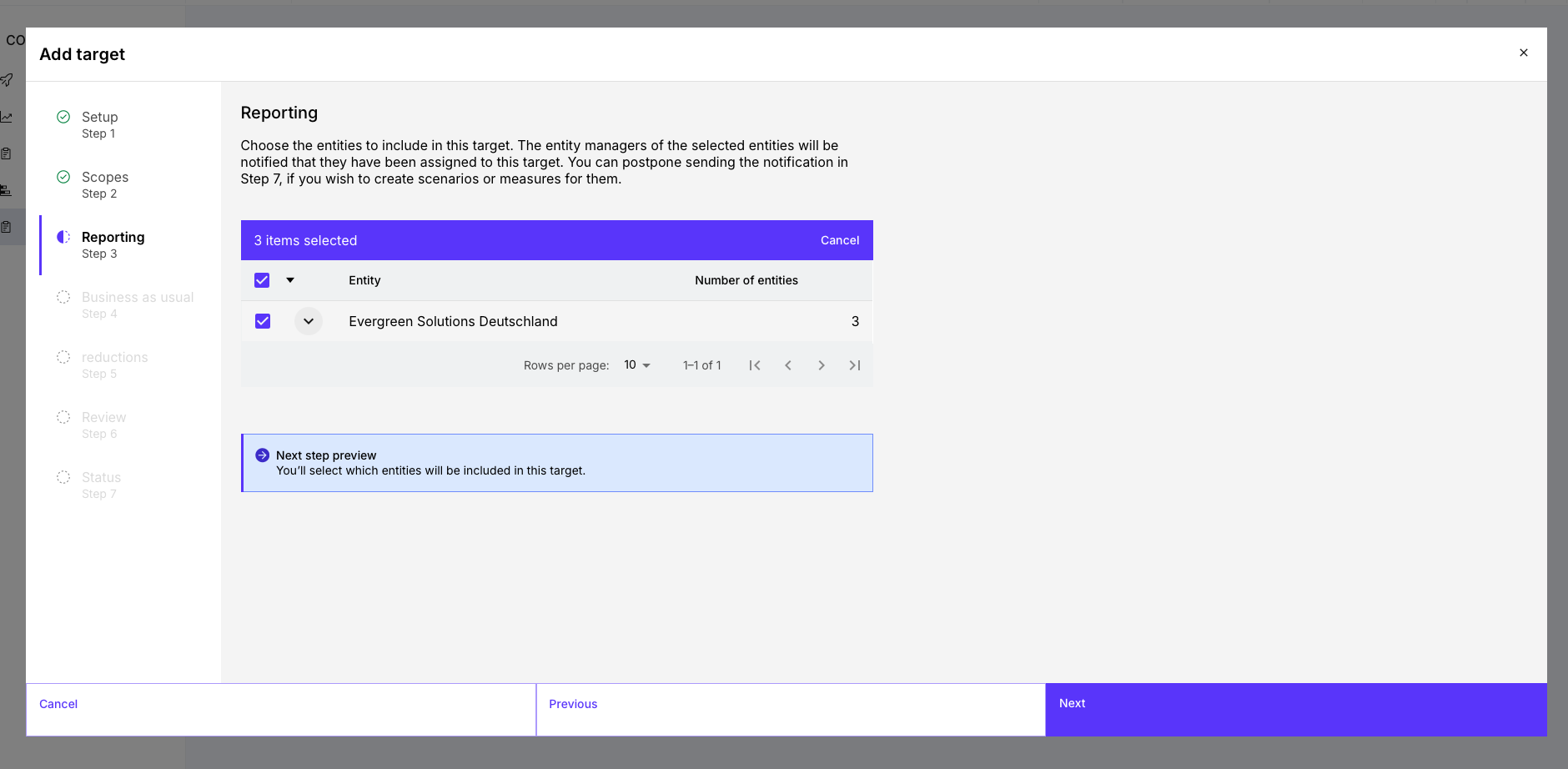
You then define which entities the target applies to:
- Select companies / locations
- Assign responsible users (entity managers) this is pre assigned by your organizatinal structure
This ensures clarity on who contributes to target achievement. Clear ownership is essential to operationalize targets and track progress across the organization.
4. Consider business-as-usual (BAU)
In this step, you model how your business would develop without additional reduction measures:
- Define an annual growth rate (%)
This creates a “business-as-usual” baseline scenario.
Why this matters:
Emissions are not static. Growth can lead to increasing emissions — even if efficiency improves.
The BAU assumption helps you:
- calculate realistic reduction pathways
- understand the actual effort required
- properly size your measures
More on BAU forcast here.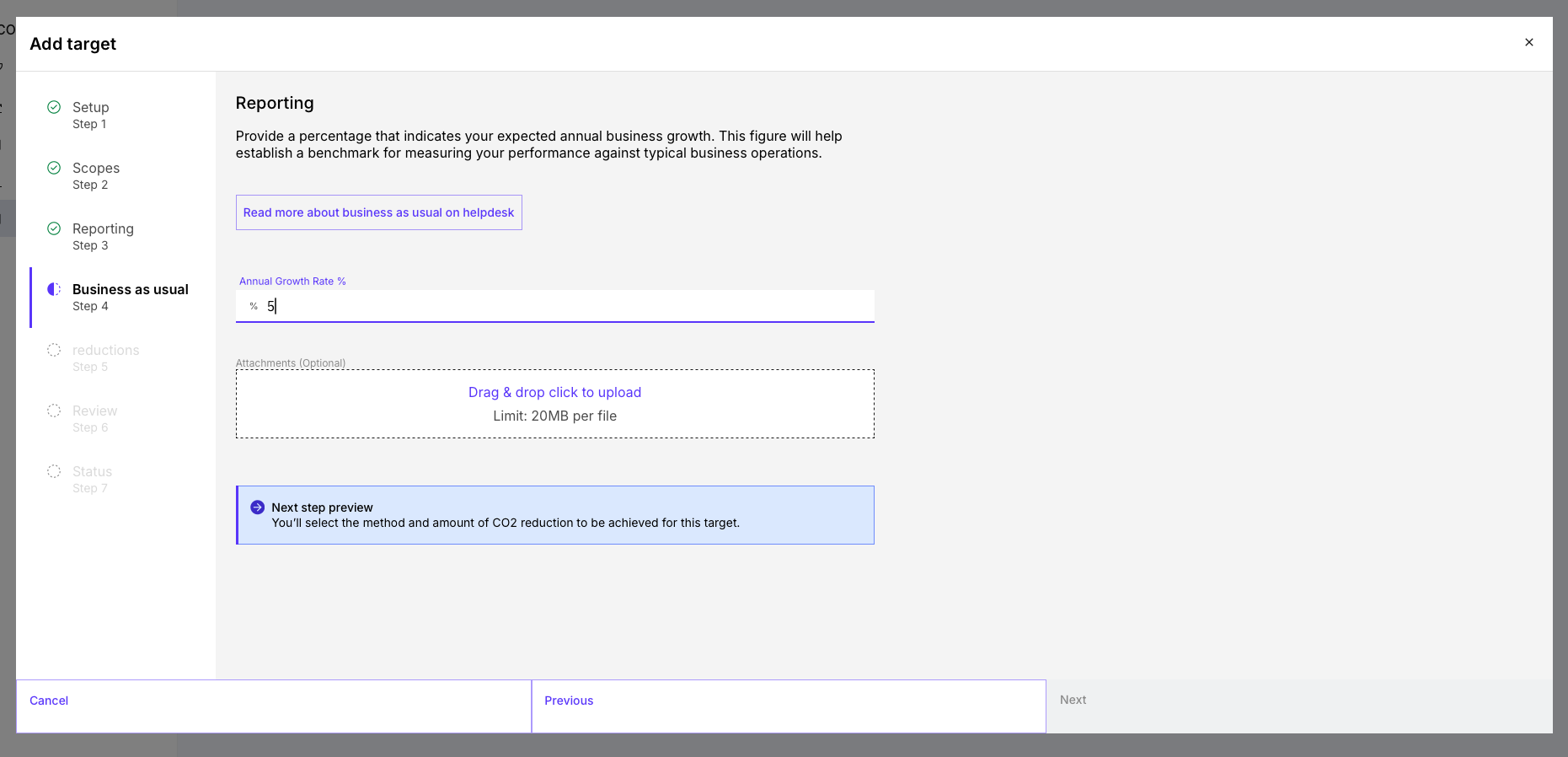
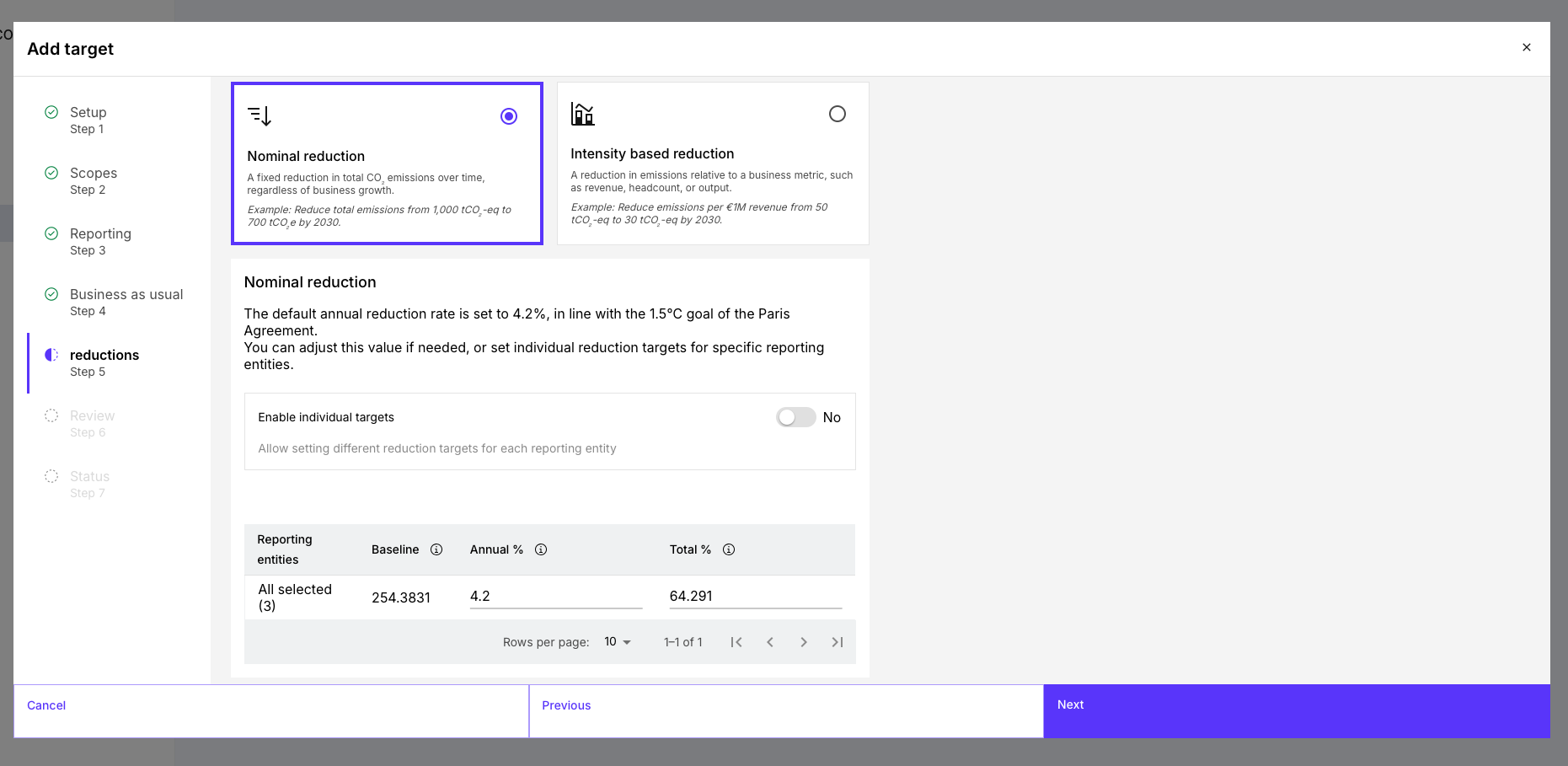
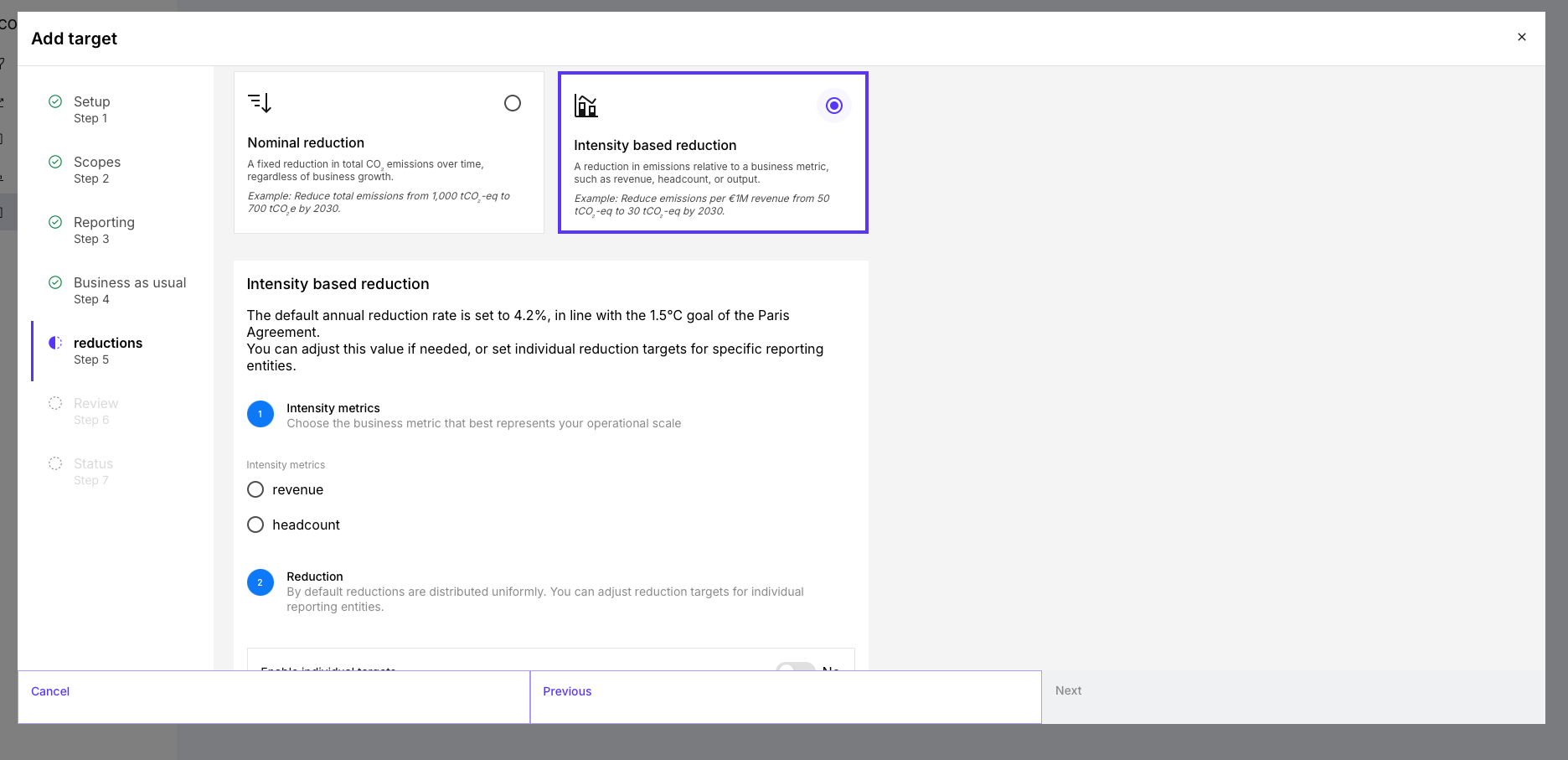
5. Choose the target methodology and reduction rate
Now you define how your reduction will be measured:
Absolute reduction (Nominal) |
| Typical for:
|
| Intensity-based reduction |
| Useful for:
|
Additionally, you define:
- an annual reduction rate (e.g. 4.2% aligned with a 1.5°C pathway)
- optional individual targets per entity or year
The chosen methodology directly affects how ambitious and comparable your target is — and whether it aligns with standards like SBTi.
6. Review your target
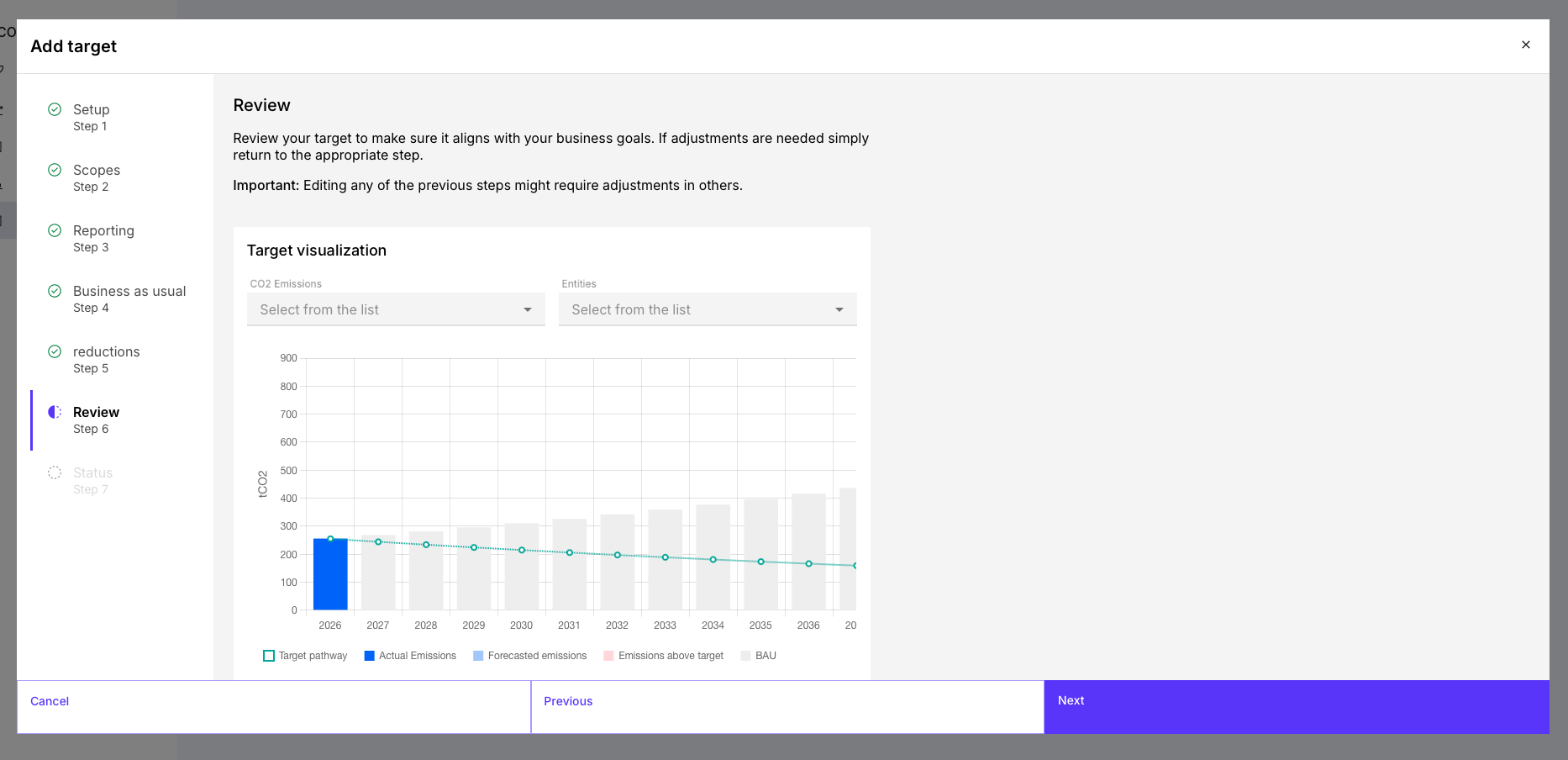
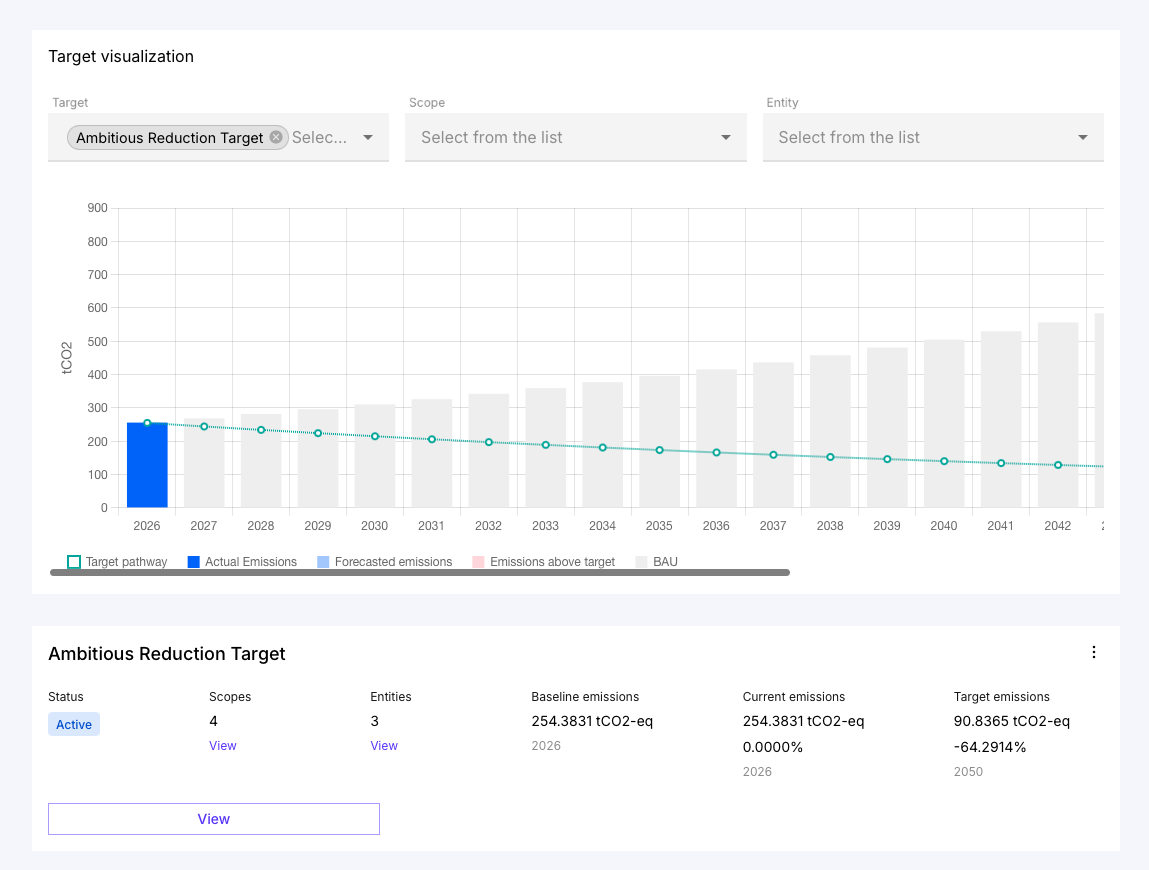
Before finalizing, you can review a visual representation of your target pathway.
The visualization shows:
- the target trajectory
- expected emissions (including BAU)
- potential gaps
Use this step to validate:
- Is the target realistic?
- Is it ambitious enough?
- Does it align with business development?
7. Activate the target
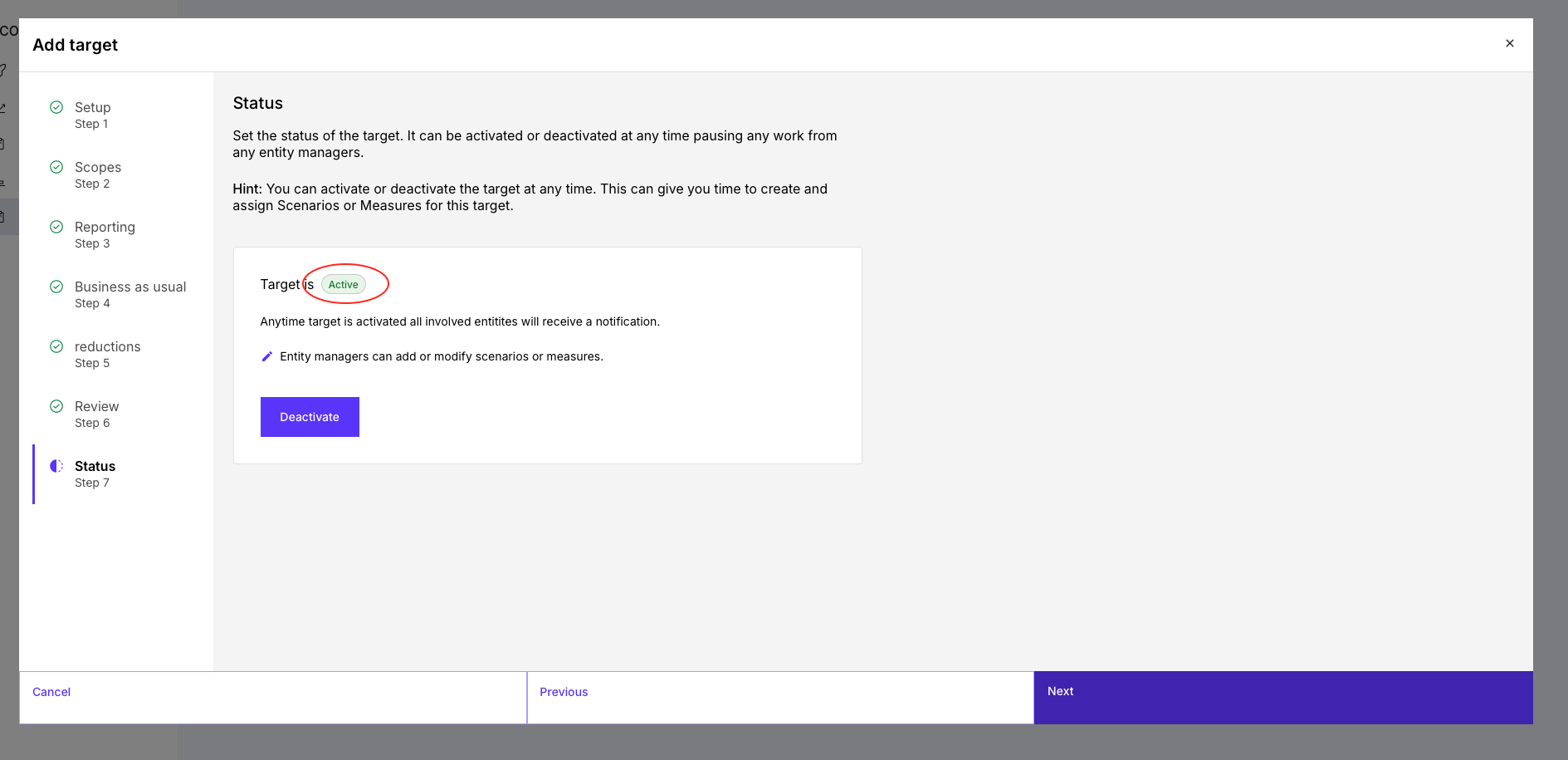
Finally, you define the target status:
- Activate → target becomes effective
- Deactivate → target is paused
Once activated:
- relevant stakeholders are notified
- operational implementation begins (measures & scenarios)
8. Understanding and using the target dashboard
After creating and activating your target, the Reduction Planner provides a central dashboard view where you can analyze your target pathway and emissions development.
This dashboard connects your target definition with the underlying data and makes both progress and deviations clearly visible.
Key figures at a glance
The most important metrics are displayed in a compact overview:
- Baseline emissions (t CO₂e in the base year)
- Change since baseline
→ shows whether emission reductions have already been achieved - Target emissions in the target year
→ defines the endpoint of your reduction pathway - Reduction pathway from base year to target year (green line)
- Current emissions (based on your latest CO₂ report)
These metrics give you a quick overview of both progress and target ambition.
Emissions development
The core element of the dashboard is the visualization of your emissions over time:
- Blue bars show emissions per year
- Grey bars (BAU) represent the expected development without additional measures
- Red areas indicate emissions above the target pathway
- Green line visualizes the target trajectory
This visualization helps you understand:
- whether you are on track
- how large the gap to your target is
- how strong your reduction measures need to be
View options
You can break down emissions in different ways:
- by scope
- by target
- by entity
This allows you to identify key emission drivers and focus your reduction efforts where they have the greatest impact.
If you want, I can now align the entire article stylistically to this tone so everything feels fully consistent.
Was this article helpful?
That’s Great!
Thank you for your feedback
Sorry! We couldn't be helpful
Thank you for your feedback
Feedback sent
We appreciate your effort and will try to fix the article