
A scenario shows how a selected set of measures could affect emissions over time. In the Reduction Planner, scenarios help you test whether planned actions are sufficient to reach a reduction target and compare different strategic options before making a decision.
A scenario is not a target. The target defines the required outcome; the scenario models one possible route to reach it.
Why model scenarios?
A reduction target answers: “Where do we need to get to?”
A scenario answers: “What would need to happen for us to get there?”
From a consulting perspective, this distinction is essential. Companies often have a target but no shared view of the operational decisions, investment timing or dependencies required to achieve it. Scenario modelling creates that shared view.
Use scenarios to:
compare a business-as-usual trajectory with planned reductions;
test the effect of individual measures;
identify whether the planned portfolio closes the gap to the target;
assess the impact of delays, changed assumptions or missing investments; and
create a transparent basis for management decisions.
Before you create a scenario
Create a reduction target first. The target provides the scope, organisational boundary, baseline emissions and target pathway against which the scenario is assessed.
Then create the relevant measures for the target and organisational unit. A measure represents a concrete decarbonisation activity, such as switching to renewable electricity, electrifying a fleet, improving building
efficiency or changing a procurement requirement.
Start with the target, not with a long list of measures. In consulting projects, the most useful question is not “What could we do?” but “Which decisions must we make to reach this target?”
Create a scenario
To create a scenario:
Open the relevant Reduction Planner plan.
Select the target.
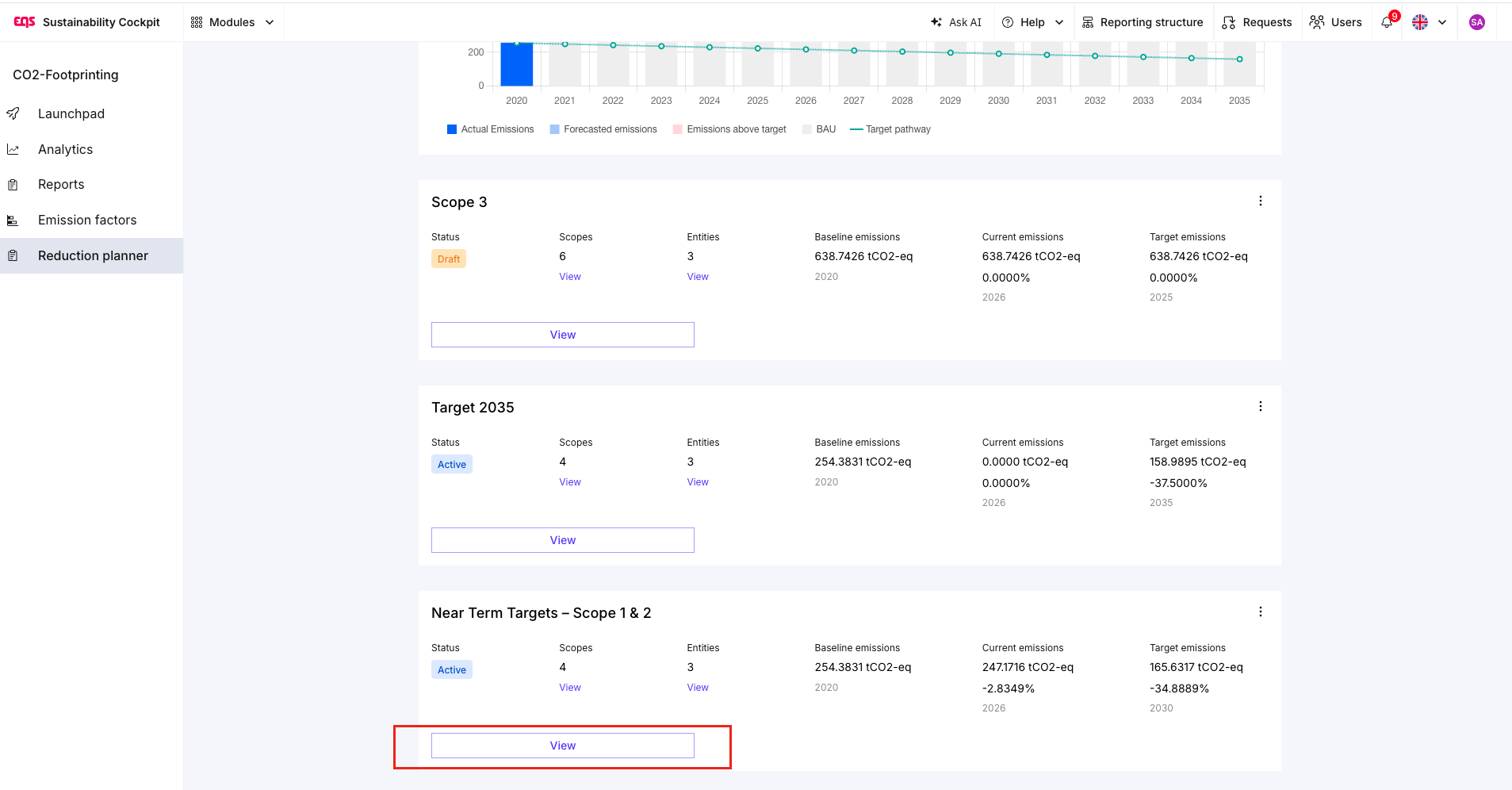
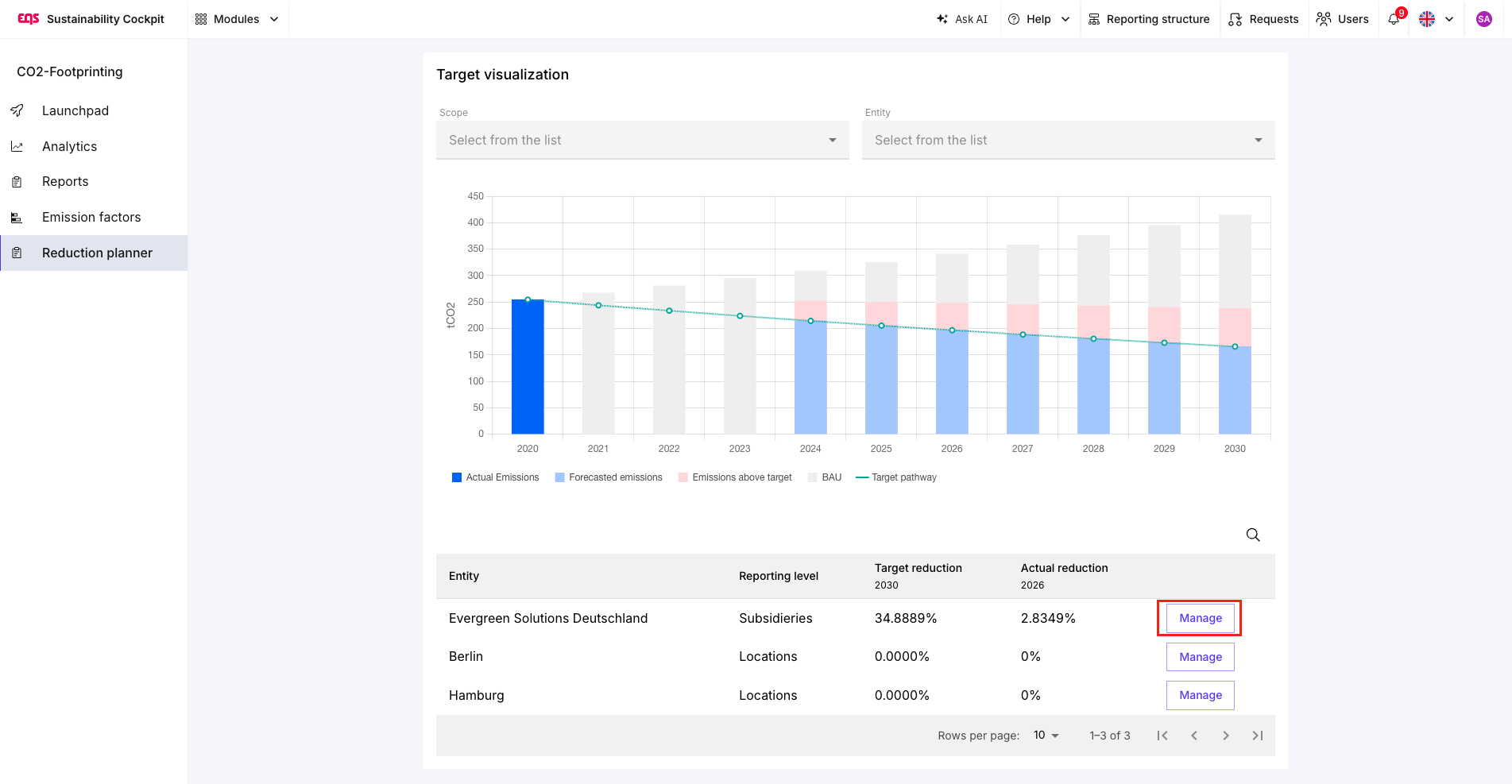
Open the organisation unit for which you want to model the scenario.
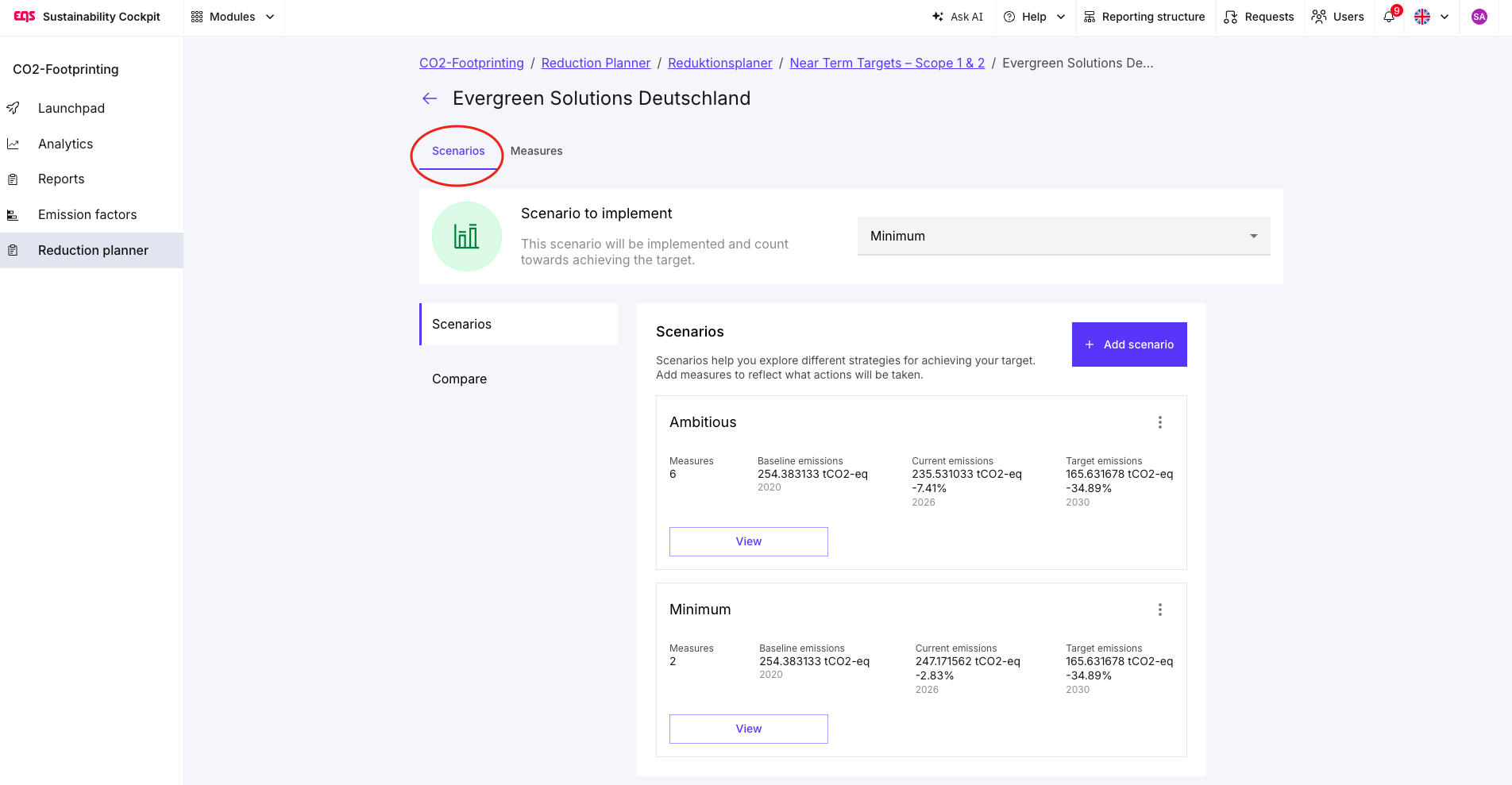
Create a new scenario.
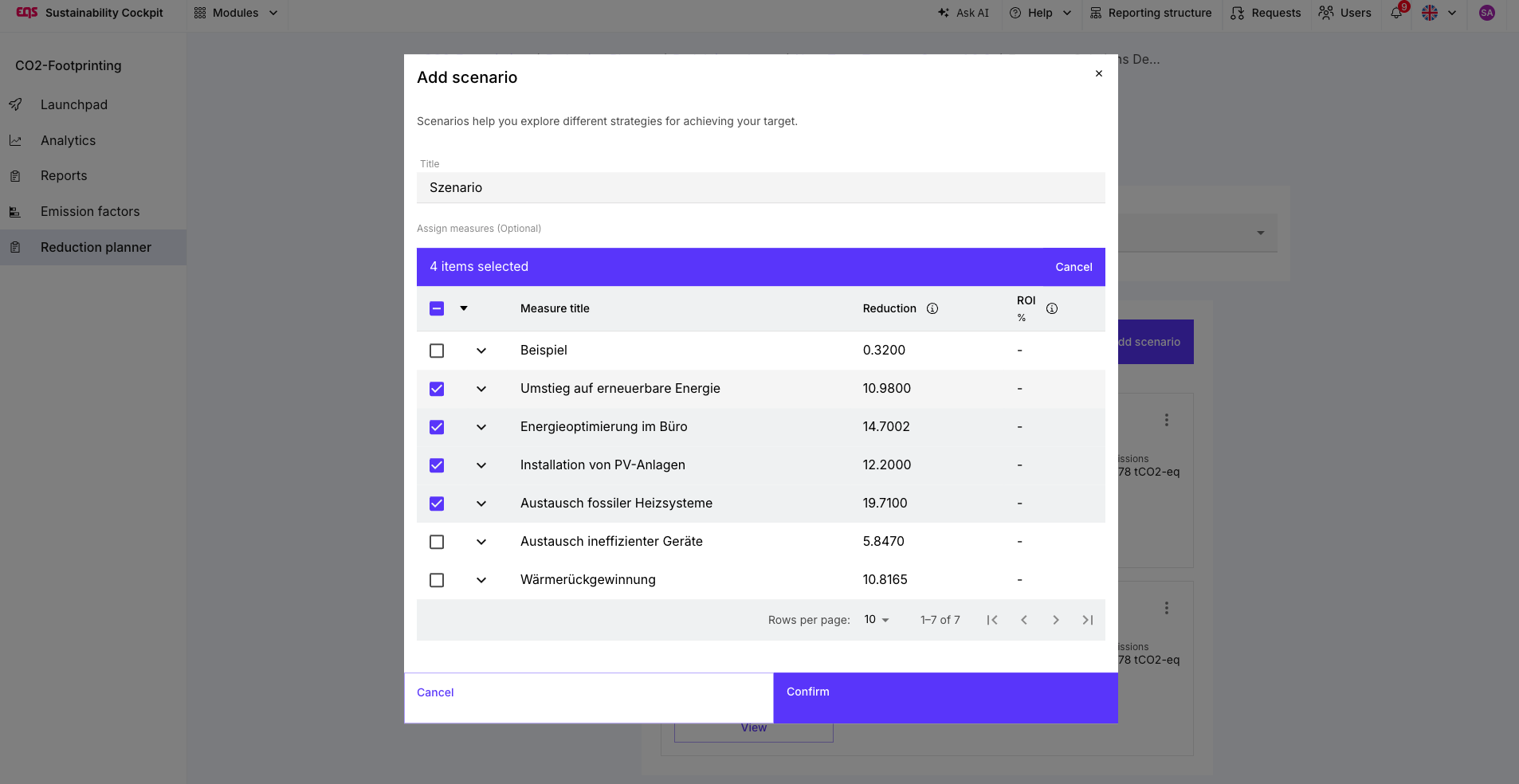
Select the measures to include.
Review the resulting emissions pathway against the target pathway.
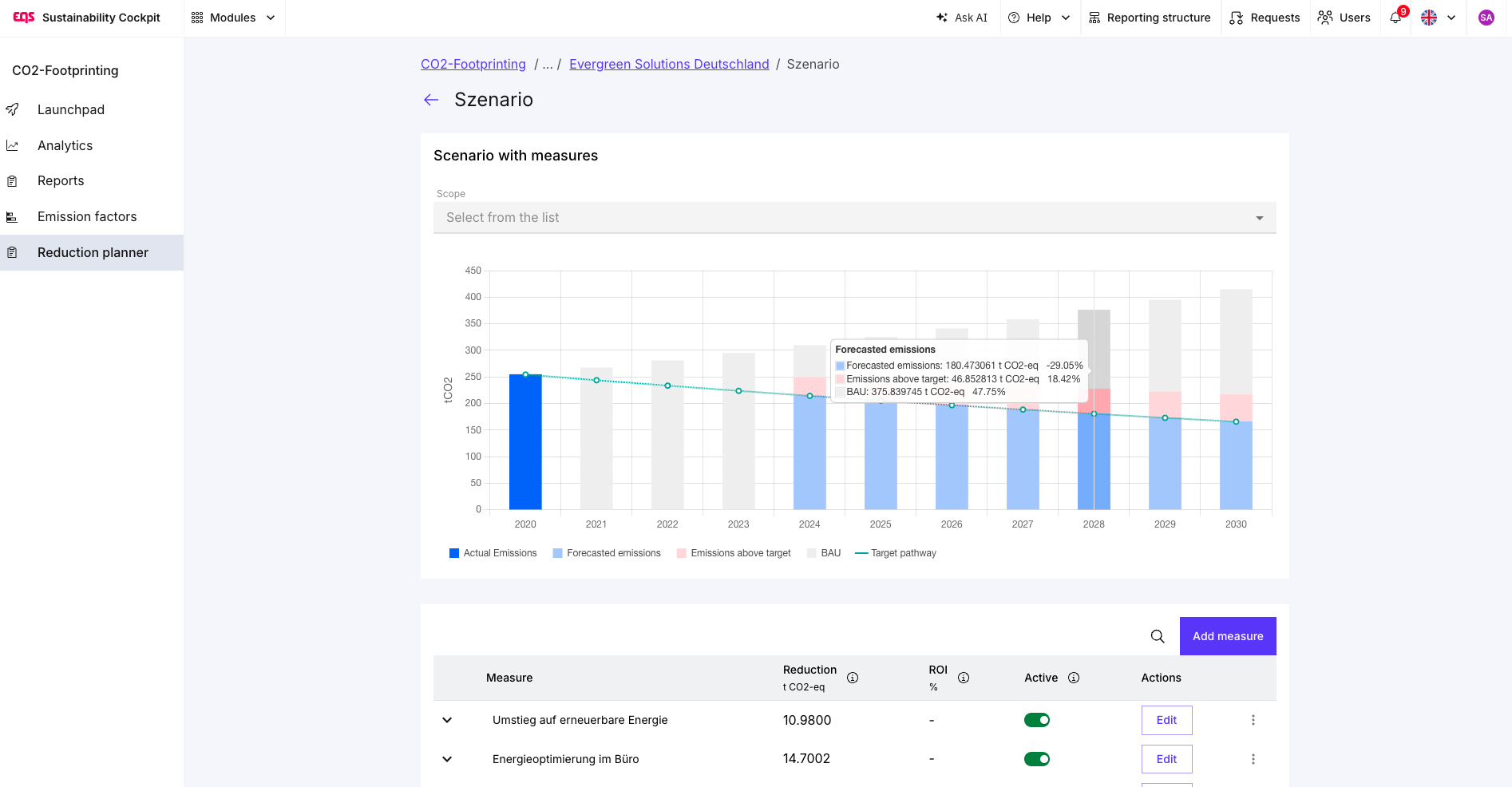 Scenarios are currently linked to a specific target and organisational unit. If you want to compare the same measures across several targets or units, you may need to create or link them separately.
Build useful scenarios
A strong scenario does not try to predict the future perfectly. It makes assumptions explicit so that they can be discussed and tested.
A practical scenario set often includes the following views:
| Scenario | Purpose |
|---|---|
| Business as usual | Shows the expected emissions development without additional measures. |
| Committed plan | Includes measures that are approved, funded or already underway. |
| Accelerated plan | Adds feasible measures that could close a remaining target gap. |
| Delay or risk case | Tests what happens if a key investment starts later, delivers less impact or depends on external conditions. |
Using more than one scenario is helpful because it separates ambition from commitment. A company may want to meet its target, but not every possible measure is approved, funded or technically feasible today.
Model measures realistically
When adding measures to a scenario, consider four questions:
| Question | Why it matters |
|---|---|
| What emissions source does the measure affect? | The measure should be linked to a relevant scope, activity or organisational unit. |
| When does the measure start to have an effect? | A reduction in 2029 does not help to close a gap in 2027. |
| How large is the expected reduction? | Use realistic estimates and document the underlying assumptions. |
| What does the measure depend on? | Approval, investment, supplier action, technology, regulation or data availability can all affect delivery. |
Avoid double counting. If two measures affect the same emissions source, make sure that their combined impact is realistic. For example, a fleet electrification measure and a renewable-electricity measure may both influence transport-related emissions, but they should not be counted as two independent reductions of the same emissions.
Use scenarios as a decision tool
The main value of scenario modelling is not the chart itself. It is the management conversation the chart enables.
A useful discussion can focus on:
Which measures are already committed?
Which measures are conditional on budget, suppliers or infrastructure?
Which actions have the largest impact on the target gap?
What happens if a key project is delayed?
Which decisions are required this year to keep the target achievable?
This is especially valuable when different departments own different emissions sources. The scenario makes interdependencies visible: a target may depend on procurement choices, operational investment, supplier engagement and business growth assumptions at the same time.
Link scenarios to the target pathway
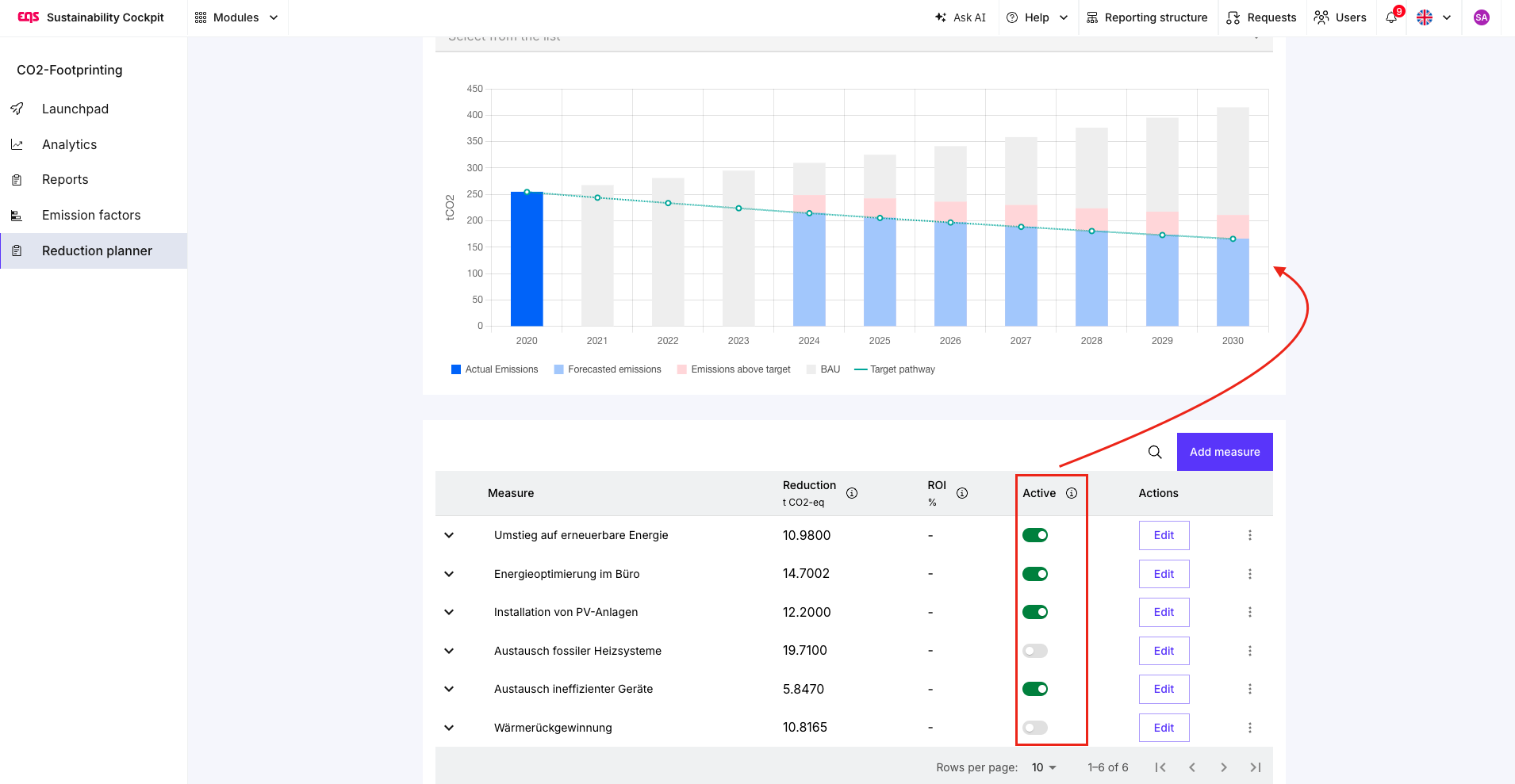
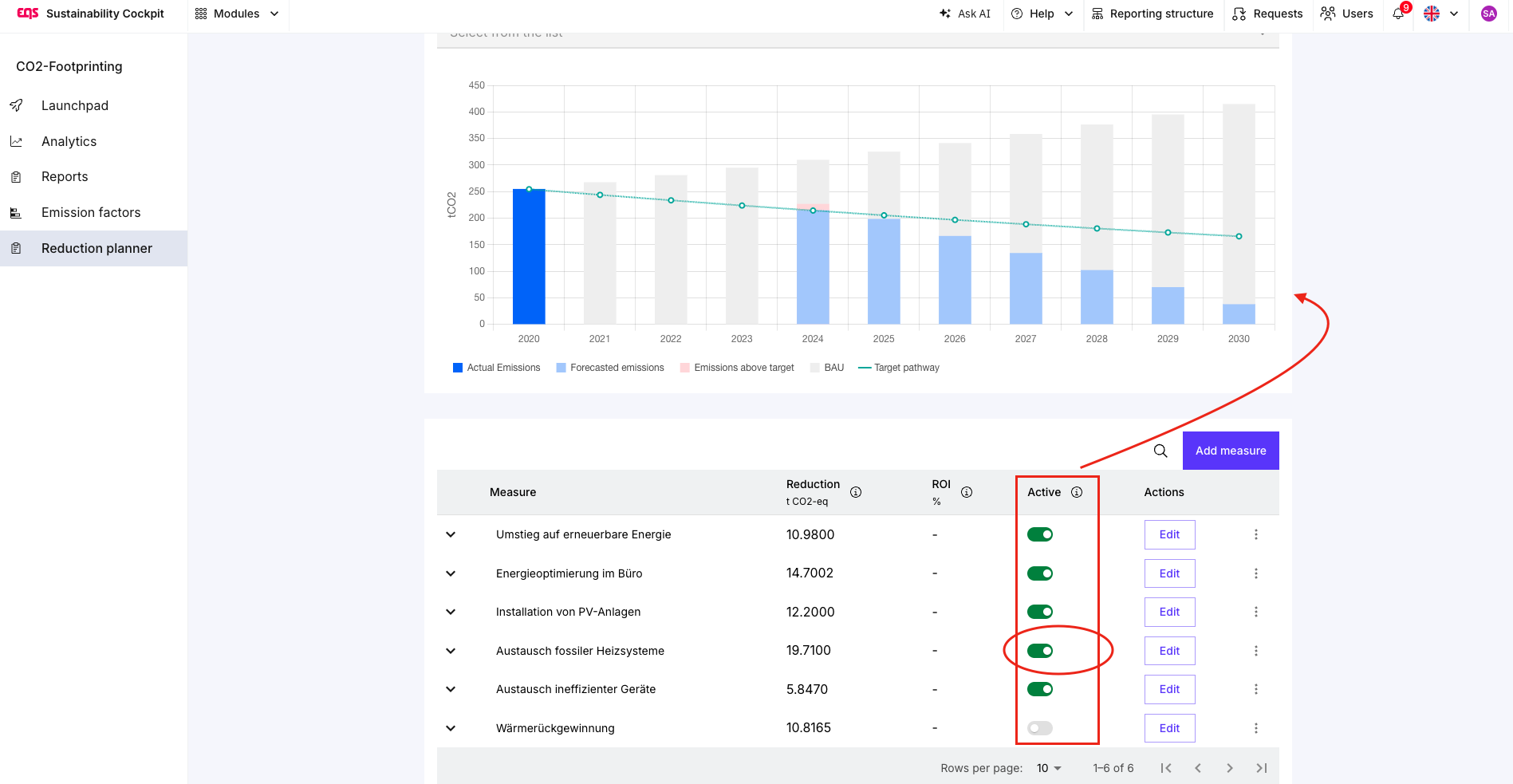
The Reduction Planner compares the modelled scenario with the target pathway.
If the scenario remains above the target pathway, the planned measures are not sufficient under the current assumptions. You can then:
add further measures;
increase the expected impact of a measure only where evidence supports it;
bring a measure forward;
change the organisational or operational assumptions; or
document that the current target is not achievable with the committed plan.
Do not use a scenario to make a pathway look more favourable. Its purpose is to reveal the gap early enough to support better decisions.
Scenarios can support transition planning, but they do not validate SBTi compliance.
Under SBTi Corporate Net-Zero Standard V2.0, companies are expected to have a transition plan covering key actions and dependencies for target implementation. SBTi also prioritises actions that directly reduce emissions at activity level in operations and value chains. SBTi Corporate Net-Zero Standard V2.0: Executive summary, SBTi: Target implementation
A well-documented scenario can help structure this work by showing:
which measures support the target;
when they are expected to take effect;
what assumptions they rely on; and
where additional action is required.
However, SBTi emissions-reduction claims are based on changes in the physical GHG inventory, not on a modelled scenario. Companies must track and report progress annually. SBTi: Reporting and assessing target progress
Review scenarios regularly
Review scenarios whenever there is new evidence that changes a key assumption, for example:
a new completed CO₂ report;
changed emissions data;
an acquisition, divestment or organisational change;
an approved or cancelled investment;
a revised supplier commitment; or
a delayed implementation date.
The preferred scenario should evolve from a planning model into a realistic management view. Keep earlier scenarios where useful, but clearly label which scenario represents the current working plan.
Frequently asked questions
Do I need more than one scenario?
No, but multiple scenarios are highly recommended when important measures are uncertain, not yet approved or dependent on external conditions.
Does a scenario change my reduction target?
No. A scenario models how the target could be reached. It does not change the target itself.
What should I do if my scenario does not reach the target?
Use the gap to identify decisions, additional measures or assumptions that need to be reviewed. Do not treat the scenario as proof that the target is still achievable.
Is a scenario an SBTi transition plan?
A scenario can support the analysis and documentation of a transition plan, but it does not replace the applicable SBTi requirements, sector guidance or validation process.
Was this article helpful?
That’s Great!
Thank you for your feedback
Sorry! We couldn't be helpful
Thank you for your feedback
Feedback sent
We appreciate your effort and will try to fix the article