
The Audits view in the ESRS module provides a dedicated workspace for reviewing sustainability reporting data directly in the EQS Sustainability Cockpit.
Instead of opening individual datapoints one by one or exporting reporting data to external files for review, auditors and internal reviewers can analyse collected data in a central table. This makes it easier to compare reporting periods, review supporting information and document audit findings directly in the platform.
The audit view is particularly useful for reviewing comparative information across reporting periods, as ESRS reporting generally includes comparative information for quantitative metrics and amounts.
Where can I find the audit view?
Open the ESRS module and select Audits from the left-hand navigation.
The Audits section is currently available for ESRS reporting. Support for additional sustainability modules is planned for future development.
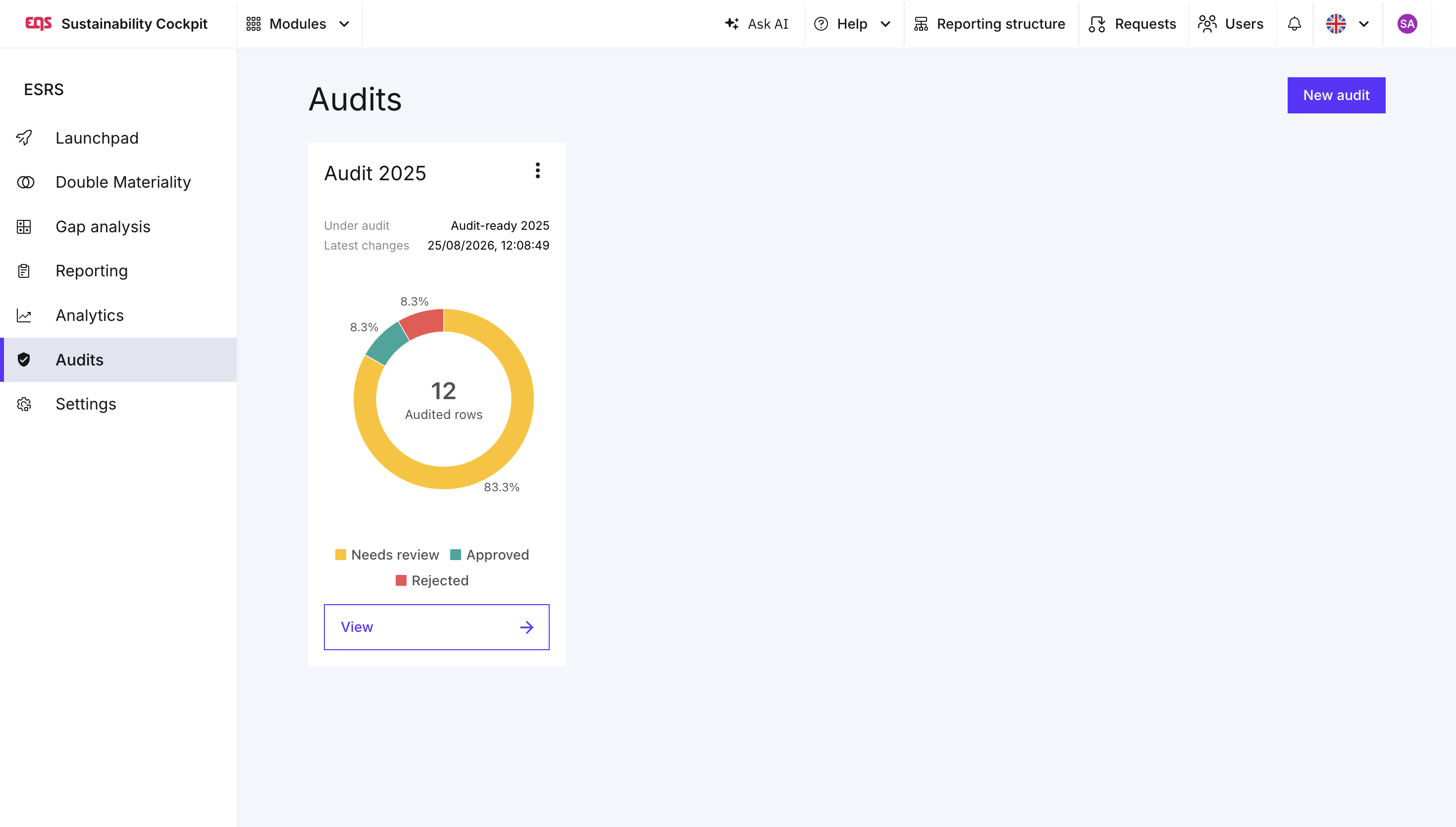
Create a new audit
To start an audit:
Open Audits in the left-hand navigation.
Click New audit.
Enter a name for your audit.
Select the ESRS reports that you want to include in the audit.
Create the audit to open the audit workspace.
You can include multiple reports in the same audit. For example, you can add your current reporting period together with the previous year's report to review and compare the reported information.
This is particularly helpful when checking year-on-year developments or identifying changes in reported values.
Review reporting data in one central view
Once the audit has been created, the reporting data from the selected reports is displayed in a table.
Instead of navigating through the regular ESRS data collection workflow and opening datapoints individually, the audit view brings the relevant information together in one place.
This allows auditors to work through the reporting data from top to bottom and compare information across the selected reports more efficiently.
For each datapoint, the auditor can review the reported values as well as the related supporting information available in the system.
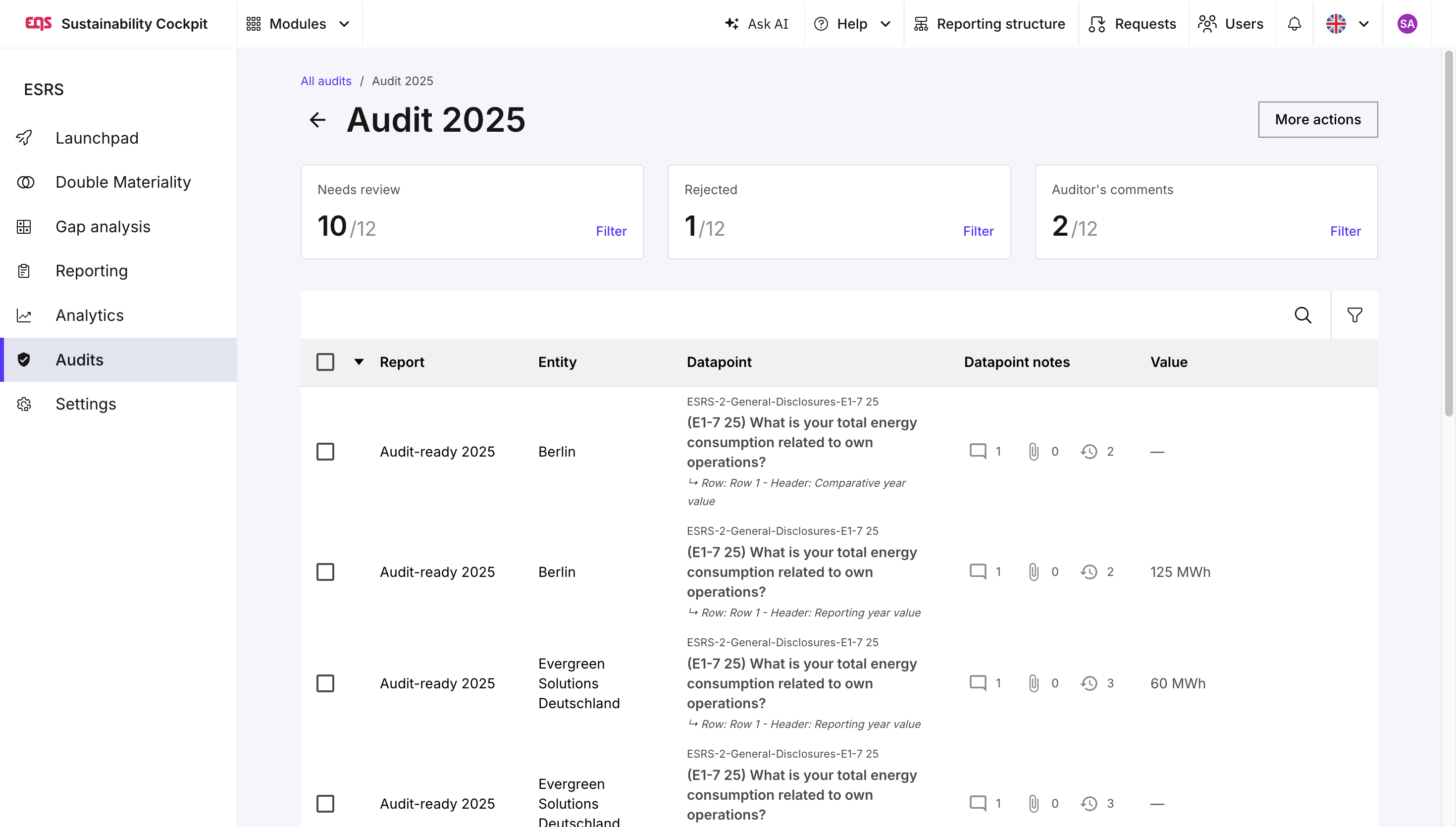
Compare reporting periods
If you have added more than one report to the audit, the corresponding information can be reviewed side by side.
For example, adding the 2024 and 2025 ESRS reports makes it possible to compare values between both reporting periods without repeatedly switching between separate reports.
This can help identify:
changes between reporting periods,
unexpected differences in reported values,
information that requires further clarification, and
datapoints that should be investigated in more detail.
Comparability between reporting periods is an important characteristic of sustainability information under ESRS.
Review comments and attachments
Auditing sustainability information usually involves more than checking the reported value itself. Supporting explanations and documentation may also be relevant when verifying a datapoint.
The audit view therefore provides access to the comments and attachments associated with the datapoints.
This enables auditors to review the supporting context without having to navigate back through the individual datapoints in the regular data collection workflow.
Where comments or attachments are available, they can be accessed directly from the corresponding entry in the audit view.
Add auditor comments
Auditors can also add their own comments while reviewing the data.
These audit comments are separate from the regular comments used during data collection. This allows the auditor to document questions, findings or observations without immediately adding them to the collaboration taking place within the underlying data collection.
Use audit comments, for example, to:
document an issue that requires further investigation,
record questions regarding a reported value,
note missing or insufficient supporting evidence, or
keep track of findings during the audit process.
This creates a dedicated review layer within the Sustainability Cockpit and helps keep the audit process separate from the operational data collection.
Search, sort and filter the audit data
The audit view is designed to make large amounts of ESRS reporting data easier to analyse.
Use the available search, sorting and filtering options to narrow down the information displayed and focus on the datapoints that are relevant to your current review.
This is especially useful for larger ESRS reports, where manually navigating through every datapoint in the reporting workflow can be time-consuming.
Why use the Audits view?
Previously, auditors reviewing information directly in the platform had to navigate through individual datapoints and, when comparing reporting periods, repeatedly switch between different reports. This often made external Excel exports necessary for the audit process.
The Audits view brings the relevant reporting information into a single workspace. It allows auditors to review reported values, compare reporting periods, inspect comments and attachments, and document their own findings without leaving the Sustainability Cockpit.
The aim is to make the platform itself the central workspace for reviewing and verifying sustainability reporting data and to reduce the need for separate external audit files.
Was this article helpful?
That’s Great!
Thank you for your feedback
Sorry! We couldn't be helpful
Thank you for your feedback
Feedback sent
We appreciate your effort and will try to fix the article